How to Get Customers to Share Photos on Shopify
The most persuasive photo on your Shopify product page is probably not the one your photographer took. Here's how to build a collection flow that generates real customer photos consistently, legally, and in a format you can actually use.

The most persuasive photo on your Shopify product page is probably not the one your photographer took.
It is the one a customer took on their kitchen counter, in bad lighting, with their dog in the background. Because that photo answers the question studio photography cannot: does this actually look like that in real life?
The problem is that most Shopify stores have no reliable way to collect customer photos. They monitor Instagram tags, repost what they find, and hope. That approach captures a fraction of what is available - and the photos it captures come with unclear rights, inconsistent quality, and no systematic way to scale.
This post covers how to build a collection flow that generates customer photos consistently, legally, and in a format you can actually use.
"Anyone else feeling the heat from clients who want concrete proof that UGC outperforms polished studio pieces? just last week, a major client insisted their ad needs to be professionally done to hit ROI goals. but here's the kicker. UGC has been shown to boast higher engagement, think about the realness of a genuine review versus a staged ad. you can't fake authenticity but clients are skeptical. i've seen stats showing that UGC has a 4x higher CTR. still, they want more than anecdotes."
— r/shook
Why Customer Photos Convert Better Than Studio Shots
Studio photography is controlled. The lighting is perfect, the product is staged, every angle is deliberate. It answers the question "what does this look like?" extremely well.
What it cannot answer is "what does this look like in my home, on my body, in my kitchen, in my life?"
That is the question driving most ecommerce purchase decisions, and it is the one customer photos answer. A photo of a sofa in a customer's actual living room tells the next buyer more about how that sofa looks in a real space than any studio image can. A photo of a skincare product on a real person's face - with real skin texture, real lighting variation - resolves the anxiety that polished brand photography amplifies.
Bazaarvoice data consistently shows that shoppers who interact with customer photos on product pages convert at significantly higher rates than those who see brand photography alone. PowerReviews research finds that products with customer images see measurably higher conversion rates than those without. Eye-tracking studies from Baymard Institute show that 67% of ecommerce shoppers evaluate product images before reading any description - rising to 74% on mobile - which means the visual layer is doing the heaviest conversion work long before the copy is read.
The mechanism is trust. Studio photography signals aspiration. Customer photography signals reality. At the moment of purchase, reality wins.
The Four Types of Customer Photos Worth Collecting
Not all customer photos serve the same purpose. A systematic approach to photo collection targets specific types based on where they will be deployed.
Product in use - the most versatile format. A customer using the product in their actual environment: cooking with it, wearing it, displaying it, working with it. This type converts on product pages and performs in paid social ads because it shows the product in a real context rather than an isolated studio setting.
Lifestyle and context - photos that show where the product lives rather than just what it looks like. A bag on a real commuter's shoulder. A candle on an actual bedside table. A supplement in a real person's morning routine. These photos are particularly effective in organic social and email, where context and relatability drive engagement.
Unboxing - photos of the product as it arrives. The packaging, the first impression, the unboxing moment. These perform well in paid social ads targeting people at the awareness stage - they show the full brand experience from delivery onwards, not just the product itself.
Before and after - particularly valuable for products with a visible transformation: skincare, home decor, organisation products, fitness equipment. A before/after photo from a real customer carries more credibility than a brand-produced comparison because there is no incentive to exaggerate.
How to choose the right content request type covers how to match the request format to the type of photo you want to collect.
How to Brief Customers for Photos
The brief is the highest-leverage variable in photo collection. Most Shopify stores use no brief at all - they send "share your photos with us" and collect almost nothing.
A specific brief produces specific photos. The discipline is identical to writing a good creative brief for a photographer: tell the subject what you want, why, and in what format.
A photo brief that works answers three questions for the customer:
What to photograph - not "your experience" but a specific subject. "A photo of how you style it" or "a photo of where you keep it at home" or "a photo showing the before and after" tells the customer exactly what to capture. The more concrete the subject, the easier it is to start and the more useful the result.
How to take it - one line of guidance that improves quality without making the ask feel like work. "Natural light works best" or "landscape orientation" or "show us the full product in the frame" is enough. Customers do not need a photography tutorial - they need enough guidance to avoid the most common submission problems.
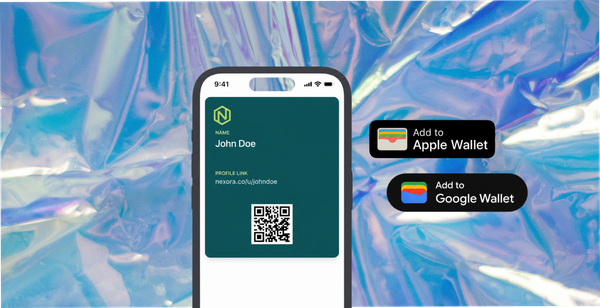
Why it is worth their time - the reward, named upfront. "Send us a photo and we will put $10 in your Apple or Google Wallet" is a complete brief. The reward closes the loop and tells the customer that their photo has value, not just to the brand but to them.
How to write a content request that actually gets responses covers brief structure and the specific framing decisions that affect submission rate.

The Submission Flow: Making It Easy to Send Photos
Even with a strong brief and a genuine reward, a difficult submission process loses customers before they send anything.
The submission path should be a single link that opens a mobile-optimised form. The customer selects or takes a photo, reads and accepts the terms, and submits. No account creation, no email attachment, no platform tag required. Most customers will submit from their phone - the entire process should work natively on mobile in under two minutes.
The form is also where rights clearance happens. When a customer submits through a form with explicit consent covering the brand's permitted uses - including paid advertising - the photo arrives rights-cleared with a timestamp attached. That is the difference between a photo you can run in a Meta ad immediately and one that requires permission chasing before you can use it commercially.
How 82DASH looks after rights management explains what rights clearance at submission means in practice for Shopify brands using customer photos in paid channels.
The Reward That Drives Photo Submissions
Photos require effort. A request without a reward is asking for that effort as a favour. Most customers will not make it.
The reward needs to be genuine and easy to receive. A wallet pass delivered to Apple or Google Wallet immediately after submission - $10 or $15 off the next order, sitting on the home screen - outperforms an email coupon code for two reasons: it requires no effort to access and it resurfaces at the point of purchase rather than getting buried in an inbox.
Okendo data from Shopify merchants shows incentivised photo and review requests generate significantly higher completion rates than unincentivised ones. Yotpo research on review and content request timing puts the incentivised request response rate at 15-30% for merchants who ask at the right moment, compared to 1-3% for those who rely on unprompted submission. The incentive does not change the quality or sentiment of the photos - it changes whether customers bother to send them at all.
The reward also has a compounding effect. A customer who submitted a photo and received a wallet pass reward has had a complete, positive interaction with the brand beyond the transaction. They are more likely to participate in future collection cycles and more likely to recommend the brand.
How to reward customers for photos, videos and feedback covers reward format decisions and how wallet pass delivery affects conversion rates from submission to repeat purchase.
Where to Use Customer Photos on Shopify
Customer photos collected through a structured submission flow are immediately deployable across every channel - because the rights are already cleared.
Product pages - customer photos alongside studio photography on product pages drive measurable conversion uplift. The addition of real-context images answers the questions that brand photography leaves open. Stackla data shows consumers are 2.4x more likely to engage with customer content than brand-produced creative on product pages.
Paid social - customer photos running as Meta or Instagram ads perform differently from studio creative. They look like what is already in the feed. They carry trust signals that polished brand imagery does not. The prerequisite is rights clearance covering paid use - which a structured submission form provides at the point of collection.
Email - a customer photo of a product in a post-purchase email sequence is more relevant to the recipient than a generic brand image. A customer who just bought the same product seeing another customer's photo of it in their home resolves the anticipation anxiety and reduces returns.
Organic social - rights-cleared customer photos can be reposted confidently. The difference from informally sourced photos is that you have documented permission and do not need to chase anyone before posting.
82DASH connects the photo collection, rights clearance, and content library for Shopify so collected photos are organised by product and ready to deploy across channels from the moment they arrive.
Building a Photo Library That Compounds
The goal is not a one-time photo campaign. It is a collection flow that generates new customer photos with every order cohort - compounding into a library that improves product pages, ad creative, and email content over time.
At steady state, a Shopify store shipping 500 orders per month with a well-built collection flow can expect a photo submission rate of 3-6%. That is 15-30 new customer photos per month, adding to the library each cohort. After six months the library has 90-180 photos across products, styles, and contexts - enough to rotate ad creative without fatigue, update product pages with fresh imagery, and personalise email content by product category.
The library does not reset. A photo collected this month is still in the rotation next year. The asset compounds with each new submission rather than requiring a new production budget.
Isabelle Simon - Communications Lead - 82DASH
Frequently Asked Questions
How do I get customers to share photos of my Shopify products?
Send a specific, structured content request in your post-purchase email sequence, five to fourteen days after confirmed delivery. The request should tell customers exactly what to photograph, give one line of format guidance, and name a genuine reward upfront. A dedicated submission form makes the process low-friction on mobile. The combination of a specific brief and a real incentive - delivered as a wallet pass rather than a coupon code - drives submission rates significantly higher than an open invitation.
Do I need permission to use customer photos in my Shopify store?
Yes. Using customer photos on your website, in paid ads, or in email requires documented consent covering those specific uses. Informal permission via DM or email reply is typically insufficient for commercial use. The cleanest approach is to collect consent at the point of submission through a form with clear terms that specify what the photos will be used for, including paid advertising if relevant.
What types of customer photos work best for Shopify product pages?
Photos showing the product in real use in a real environment perform best for conversion - they answer the question that studio photography cannot: what does this look like in my actual life? Lifestyle and context photos, unboxing photos, and before/after photos all serve different purposes across different channels. The brief you send determines which type you collect, so match the request to the deployment use case.
How many customer photos do I need before they start helping conversion?
Even a small number of customer photos alongside studio photography improves product page performance. PowerReviews data shows measurable conversion uplift from the first cohort of customer images added to a product page. Volume compounds the effect - a product with 30 customer photos converts differently from one with 3 - but the improvement starts from the first addition.
How do I get high-quality photos from customers, not just blurry snapshots?
Through the brief. One line of guidance - "natural light works best" or "show the full product in the frame" - prevents the most common quality issues without making the ask feel like work. A specific subject in the brief also helps: "a photo of how you style it" produces better photos than "share your experience." You will still get some unusable submissions, but a well-written brief dramatically reduces the proportion.