Shopify Customer Content Strategy: The Complete Guide 2026
AI creative is everywhere. Every Shopify store has access to the same tools. The merchants winning in 2026 are the ones with something different - real customer content. Here's how to build a systematic strategy for collecting, owning, and using it.

Open your Meta Ads Manager. Look at your active creatives.
Now open a competitor's Meta Ads Manager - you can't, but if you could, you'd see something unsettling. Their ads look almost identical to yours. Same composition. Same lighting. Same product-centred framing. Because you're both using AI generation tools, stock photography, or the same professional studio workflow.
AI creative is cheap, fast, and widely available. Which means it's also everywhere. Every Shopify store has access to the same tools. The result is a feed full of polished, synthetic imagery that customers scroll straight past - because none of it looks like real life.
The stores pulling ahead right now have something different. They have customer content - real photos from real buyers, real videos from real users, real feedback from people who actually own the product. Content that no AI can generate because it requires a real person having a real experience with your product.
This is the guide to building a systematic customer content strategy for your Shopify store.
UGC vs CGC: Why the Source of Customer Content Changes Everything
Most merchants use the term UGC - user-generated content - to describe anything a customer creates. But there's a more precise term that changes how you think about the strategy: customer-generated content, or CGC.
UGC is broad. It covers anything a customer posts publicly - Instagram photos, TikTok videos, branded hashtag posts, reviews. Most Shopify UGC tools work by pulling this content from social platforms and displaying it on your storefront. You're working with content that was created for a social audience, not for you.
CGC is direct. It's content customers generate specifically for your brand - submitted through a form, not posted to a feed. What most merchants call UGC, 82DASH calls CGC, and the distinction matters for three reasons:
Ownership. When a customer posts on Instagram and tags your brand, you don't own that content. You can't use it in a paid Meta ad without explicit permission. You can't put it on packaging. You can't include it in a wholesale deck. Customer content collected directly, with rights cleared at submission, is yours to use across every channel.
Volume. Research consistently shows that 79% of customers who would happily share content with a brand privately will never post it publicly. UGC tools only reach the 21% who post. Customer content collection reaches everyone.
Signal quality. Publicly posted content is shaped by what performs on social - what gets likes, what earns follows. Direct customer content is unfiltered. It tells you what people actually think about your product, not what they think will perform on a social algorithm.
Why Shopify Customer-Generated Content Outperforms AI Creative in 2026
The AI content wave is real and it's accelerating. Every brand now has access to generation tools that produce polished product shots, lifestyle imagery, and ad creative in seconds. The result is that professional-looking synthetic content has become a commodity.
The data is consistent on what this means for performance:
- Customer photos on product pages drive 74% higher conversion than pages without them, according to Salsify.
- User-generated content delivers 161% higher conversion lift than brand content, per Bazaarvoice.
- Customer content generates 2.4x more engagement on social platforms than brand-produced material, according to Nosto.
The gap between AI-generated creative and real customer content is widening - not because AI is getting worse, but because customers have learned to recognise it. A photo of your product on someone's kitchen counter, in their wardrobe, in their child's hands, carries a weight of proof that no generated image can replicate.
The merchants building customer content libraries now are establishing an advantage that compounds. A library of 500 real, licensed customer photos built over six months is not something a competitor can replicate overnight. It takes time, a system, and actual customers.
The Four Types of CGC Every Shopify Store Should Be Collecting
1. Product photos in real-world use
The most valuable single content type for most Shopify stores. Not the product on a white background - the product in someone's home, on their body, in their kitchen, on their desk. Real context beats styled photography on product pages, in ads, and in email campaigns.
2. Short video testimonials
A 15-30 second video of a customer describing what they like about your product converts differently to a written review. It's harder to fake, harder to ignore, and signals authenticity in a way that text cannot. Particularly powerful for products where the before/after or the experience matters - beauty, fitness, food, home goods.
3. Customer feedback and insights
Not just photos and videos. The answers customers give when you ask them questions - "how did you style this?", "what problem did this solve?", "what almost stopped you buying?" - are both marketing intelligence and marketing material. A customer's answer to "what would you tell a friend about this product?" is often the best ad copy you'll ever write.
4. Transformation and comparison content
Before/after, unboxing, progress shots, product-in-context. Particularly powerful in beauty, skincare, fitness, food, and subscription categories. This content answers the question every prospective buyer has: "will this actually work for someone like me?"
Why UGC Rights Clearance Is Not Optional for Shopify Merchants
The instinct is to ask customers to post on Instagram and tag the brand. It's free, it drives social visibility, and the content lands on a public platform.
The problem: that content is not yours.
An Instagram tag is not a licence. A branded hashtag is not consent. If you screenshot a customer's story and run it as a paid ad, you're using content without permission - which is copyright infringement. The FTC's 2024 rule on fake reviews and undisclosed incentivised content makes the regulatory exposure explicit, with civil penalties of up to $51,744 per violation.
The solution is not to avoid incentivising content. It's to collect it through a direct submission flow where rights are cleared at the point of upload, not chased down after the fact.

How to Build a CGC Collection System That Works on Autopilot
The merchants building genuine content advantages are not relying on organic social tags or one-off campaigns. They've built a systematic collection flow with three components:
Direct submission. Customers submit content through a branded form - not to a social feed. The submission goes directly to the brand's library. No scraping, no chasing hashtags, no DM requests for permission.
Rights cleared at submission. At the point of upload, the customer agrees to a licence that covers use across ads, email, social, product pages, print, packaging, and wholesale. The merchant receives the content and the rights simultaneously.
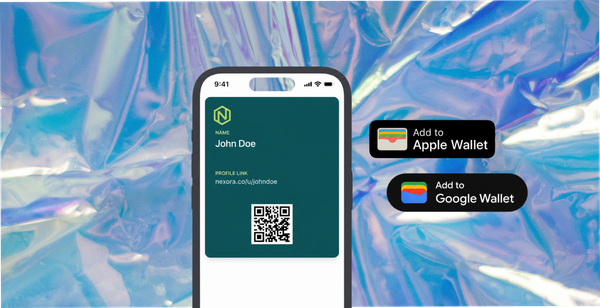
Instant reward. The customer receives something tangible immediately - not a points balance they'll forget about, but an Apple or Google Wallet pass that arrives on their phone before they've closed the tab. A discount on their next order, a free product, early access. The reward is visible, time-stamped, and creates a return-visit trigger.
This is the loop that compounds. Every order becomes a potential content submission. Every submission builds the library. Every reward drives the next visit.
How 82DASH Turns Every Shopify Order Into a CGC Opportunity
82DASH is built for exactly this flow. It connects to your Shopify store and runs the collection-and-reward system as a lightweight layer on top of your existing infrastructure.
The setup takes less than an hour:
- Connect 82DASH to your Shopify store.
- Create a campaign - what you're asking for (photos, videos, feedback, or a combination), what the reward is, and how it's triggered.
- Add a submission link to your post-purchase email, order confirmation page, or product page - or generate a QR code for physical retail or packaging inserts.
- Customers submit through a mobile-optimised form. Rights are cleared automatically at submission.
- An Apple or Google Wallet pass lands on their phone immediately.
- You receive licensed content and customer insights tied to that order.
On 82DASH's Growth plan at $82/month, you can collect up to 400 photos and 200 videos per month. Within 90 days, that's a licensed content library that would cost thousands in a traditional shoot - and would never have the authenticity of real customer submissions.
Install 82DASH directly from the Shopify App Store.
Where to Deploy Shopify CGC for Maximum Commercial Impact
The value of a properly-built customer content library compounds across every channel:
Paid social. Real customer photos in Meta, Instagram, and TikTok ads consistently outperform studio imagery on click-through rate and cost per acquisition. You're running creative that has been proven by actual customers who bought the product.
Product pages. Customer photos alongside product descriptions increase conversion by showing the product in real-world use. A prospective buyer sees themselves in the customer's photo in a way they never see themselves in a brand shoot.
Email marketing. Customer photos in promotional emails outperform brand photography. You've already paid for them - with a Wallet reward that costs less than a thank-you card.
Google Shopping and Merchant Centre. Customer images submitted for Google Shopping listings improve click-through from search. Real product-in-use images stand out against white-background competitors.
Wholesale and trade decks. When pitching to stockists and retail buyers, real customer photos demonstrate demand and social proof in a way that brand imagery cannot.
Packaging and print. A rights-cleared customer photo on packaging communicates authenticity without any copy required.
A Worked Example: Shopify Fashion Brand, 200 Orders a Month
You sell clothing on Shopify. 200 orders a month. You set up 82DASH.
Week 1: Submission link added to post-purchase email. "Share a photo of your order styled your way. Get 15% off your next purchase straight to your Wallet." Around 8% of customers submit. That's 16 submissions in the first week.
Month 1: 60 submissions. 40 usable styled outfit photos. You add them to product pages alongside your brand photography. Add-to-cart rate improves.
Month 2: You run your first Meta ad using customer photos exclusively. CTR is up compared to your previous creative. CPC drops. You're spending the same budget and getting more clicks.
Month 3: You have 180 licensed customer photos. Your product pages feature real customers in multiple body types, styling contexts, and settings your studio shoot never covered. You're refreshing ad creative weekly because you have the volume.
Month 6: The content library runs itself. You're collecting 50-60 submissions per month without any active management. You have a creative advantage that compounds every month and that no competitor can purchase or replicate overnight.
Isabelle Simon - Communications Lead - 82DASH
Frequently asked questions
What's the difference between customer content and UGC for Shopify?
UGC (user-generated content) typically refers to content customers post publicly on social platforms - Instagram tags, TikTok videos, branded hashtags. UGC display tools pull this content from social and show it on your storefront. Customer content is collected directly from your customers through a submission flow - which means you own the rights, you receive it regardless of whether the customer posts publicly, and you can use it across every channel including paid ads, email, print, and packaging. The 79% of customers who will share privately but never post publicly only contribute to a customer content strategy, not a UGC strategy.
Do I need rights clearance for customer photos on Shopify?
Yes - if you plan to use them anywhere beyond your own organic social feed. Using a customer's photo in a Meta ad, email campaign, or on product packaging without documented permission is copyright infringement. The FTC has tightened rules on incentivised content and the platforms are enforcing more aggressively. Rights clearance at the point of submission - built into the collection flow - is the clean solution.
How many customer photos can I realistically collect per month?
For a Shopify store with 200 orders per month, a well-run submission flow with a genuine reward typically achieves 6-10% submission rate. That's 12-20 submissions per week, 50-80 per month. Stores with higher reward values, clearer prompts, and multiple submission touchpoints (post-purchase email, order confirmation page, packaging insert) achieve higher rates.
What reward works best for customer photo submissions on Shopify?
Immediate, tangible rewards outperform delayed or vague ones. An Apple or Google Wallet pass delivering a specific discount - "15% off your next order" - that lands on the customer's phone within seconds of submission converts significantly better than "earn points" or "enter to win." The immediacy and visibility of a Wallet pass is the key variable. Customers who receive a Wallet reward are measurably more likely to return within 30 days.
What types of photos perform best in Shopify ads?
Product-in-use photos outperform white-background shots in paid ads consistently. For fashion: styled outfits in real environments. For beauty: before/after and product-in-bathroom shots. For home goods: product in a lived-in room. For food: plated or packaged shots in a real kitchen. The less it looks like a brand shoot, the better it typically performs - because it signals genuine customer experience rather than paid production.
What does 82DASH cost for a Shopify store?
The Starter plan is $50/month and covers the core collection and feedback flow. The Growth plan is $82/month and covers up to 400 photos and 200 videos per month - the right level for most single-site Shopify stores. The Pro plan is $120/month with push notifications and higher volume capacity.