Shopify UGC Collection vs UGC Display - What's the Difference?
Display tools show customer content you don't own. Collection tools give you content you do - with rights cleared at the point of submission. Here's the difference.

There are two very different things Shopify merchants call "UGC tools."
One type pulls customer photos from Instagram and TikTok and displays them in a shoppable gallery on your storefront. The other collects photos directly from customers - with rights clearance built in - and gives you content you actually own.
Both are useful. They are not the same thing.
Most merchants start with display. Some never realise there's a second category. The distinction matters more than it might seem.
What UGC display tools do
Apps like Moast, Cevoid, Foursixty, Loox, and Yotpo's social commerce features do broadly the same thing: they find tagged posts from your customers on Instagram or TikTok and surface them on your product pages or storefront.
The result looks great. Real customers, real context, a living feed of social proof embedded directly in the shopping experience. These tools are genuinely useful for what they do. A product page with real customer photos converts better than one without - full stop.
The limitation is what happens when you want to use that content anywhere else.

The rights problem
When a customer posts a photo on Instagram and tags your brand, they haven't given you permission to use that photo commercially. They've posted it to their own account, for their own followers, under their own name.
Taking that photo and embedding it in a shoppable gallery on your site is one thing. Most platform terms of service allow a degree of embedding. But using it in a Meta ad? In an email campaign? On your packaging? In a wholesale deck for a retail buyer? In a printed display in-store?
A 2023 study found that 67% of marketers had used customer content in ways they later discovered required additional permissions. That content becomes a liability the moment it appears somewhere the customer didn't expect - or didn't consent to.
DMCA copyright infringement claims carry statutory damages of $750 to $30,000 per work. For a brand running five customer photos in an ad campaign without documented rights, the exposure is real.
The channels that require documented rights clearance are broader than most merchants assume. It's not just ads:
- Email campaigns (you're distributing to a list the customer didn't opt into for photo use)
- Product pages (you're using the photo to sell something)
- Print materials - packaging, catalogues, in-store displays
- Wholesale decks shown to retail buyers
- Press and PR materials
- Any social post where the brand account posts the customer's photo
Every one of those channels requires documented permission. A tag on Instagram is not that permission.
What UGC / CGC collection does differently
Collection tools work from the opposite direction. Instead of finding content that already exists on social platforms, they create a direct submission flow.
The customer submits a photo or video directly to the brand. At the point of submission, they agree to the usage terms - commercial rights for ads, email, print, social, and all other channels. The content arrives documented, licensed, and ready to deploy anywhere.
There is no ambiguity. No DM thread asking "is it ok if we use your photo?" No retroactive consent request three months after the content went live.
Rights clearance built into the submission flow is what separates a content library from a content liability.
82DASH uses a framework called Consent 1.0, which covers License and Terms of Use. Every piece of content submitted through an 82DASH campaign arrives with a documented commercial licence attached. The merchant can use it in ads, on their site, in email, in print, in wholesale decks, on packaging - without any additional permissions step.
The insight layer display tools can't provide
There's a second difference worth noting.
Collection tools can combine content submissions with form-based questions in the same flow. When a customer submits a photo, the merchant can ask 2-3 short questions at the same time: how did you find us? What made you choose this product? What would you tell a friend?
The merchant gets a piece of licensed content and a piece of qualitative insight from the same interaction. No separate survey. No follow-up email. One submission, two outputs.
No display tool does this. Display tools surface what customers chose to say publicly. Collection tools let you ask what you actually want to know.
The content that display tools can't reach
Display tools only surface content that customers chose to post publicly. Only 28% of customers will post about a brand publicly - the other 72% will never appear in a tagged feed, no matter how satisfied they are.
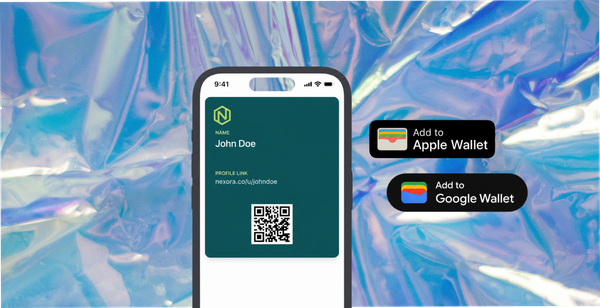
Collection tools reach the customers who would never post publicly but will happily submit directly - especially for a reward. A Wallet pass, a discount, a credit delivered to their Apple or Google Wallet gives them a concrete reason to participate without performing for a public audience.
The 72% who would never tag you on Instagram will send you a photo if you ask the right way and offer something in return. That content is just as valuable. It just requires a different approach.
For a closer look at why Wallet rewards drive this participation, this post covers the Apple Wallet mechanic in detail.
You can use both
Display tools and collection tools aren't competing for the same job.
Display tools are excellent for social proof on your storefront - the embedded Instagram gallery that shows first-time visitors that real people buy and love your products.
Collection tools are what you need for everything else - the licensed content library that feeds your ads, your email campaigns, your print materials, your wholesale pitches, your press kit.
The smartest Shopify merchants use both. Display for discovery and storefront conversion. Collection for the content library that powers every other marketing channel - content that consistently outperforms agency-created creative in ads, which means lower cost per click and higher conversion on paid spend.
If you're running paid social and relying on content you pulled from Instagram without documented rights clearance, this guide on rights-cleared UGC for Shopify ads is worth reading before your next campaign goes live.
The content your customers are already creating is your most valuable marketing material. The question is whether you own it.
Isabelle Simon - Communications Lead - 82DASH
Frequently Asked Questions
What is the difference between UGC collection and UGC display on Shopify?
UGC collection is the process of gathering content from your customers - photos, videos, reviews - through direct submission links in post-purchase emails, order confirmations, website pages, or via QR codes. UGC display is showing that content on your website, product pages, or in ads. Most Shopify UGC apps focus on display. Few focus on collection. The collection problem - how to get enough quality content in the first place - is where most merchants get stuck.
Why do most Shopify merchants not have enough UGC?
The main reason is the absence of a systematic collection flow. Relying on customers to organically tag your brand on social media captures only a small fraction of the content being created. A structured collection system - a post-purchase submission request with a reward attached - dramatically increases volume. Without one, even merchants with happy customers end up with thin content libraries.
What is the best way to collect UGC on Shopify?
A post-purchase flow is the highest-converting approach: a triggered email or SMS after delivery invites the customer to submit a photo via a direct link, with an instant reward (Apple Wallet credit, discount code, or loyalty stamp) delivered on submission. Packaging inserts with a QR code or website page links also work well. The reward attached to submission is the single biggest lever for increasing participation rate.
Do I need rights clearance before using customer photos on Shopify product pages?
Yes. A customer's photo is their intellectual property. Using it commercially - on a product page, in an ad, or in email - without explicit permission creates legal risk. Built-in rights clearance at the point of submission (as 82DASH provides) means every photo collected is immediately usable across all channels without a separate permissions process.