How to Get Customer Videos for Your Shopify Store
Customer video is the highest-converting content type in ecommerce. Most Shopify stores collect almost none of it - not because customers are unwilling, but because the ask is vague, the reward is not real, and the submission path has too many steps. Here is how to fix all three.

Video from real customers is the highest-converting content type in ecommerce. It is also the hardest to collect - not because customers are unwilling, but because most Shopify stores never ask in a way that makes it easy to say yes.
The standard approach - posting on social asking customers to tag the brand, or sending a vague post-purchase email asking people to "share their experience" - generates almost nothing. Not because the products are not good enough. Because the ask is not specific enough, the reward is not real enough, and the submission path has too many steps.
This post is about the practical mechanics of getting customer videos into your Shopify store - the brief, the flow, the reward, and the channels where different types of video perform.
"Any recommendations for services to collect video testimonials? My products have a lot of raving fans and I would like to have that on video. I am curious if there are others out there doing this and if you are using a service to automate the process, make it easy for customers? Also, do you offer any benefit to your customer for providing the video?"
Why Customer Video Is Worth the Effort
Before covering the how, it is worth being specific about why customer video performs differently from other content types.
A customer video resolves the core uncertainty of ecommerce: the gap between how a product looks in a brand image and how it actually performs in real life. Studio photography shows the product as the brand wants it to be seen. A customer video shows the product as it actually is - in a real home, on a real person, in real use.
Wyzowl research shows 84% of consumers say a video has convinced them to make a purchase. For ecommerce specifically, customer video on product pages addresses the questions that text reviews cannot: how does this actually move? Does it look that size in real life? Is the colour accurate? Is it easy to use?
In paid social, the advantage compounds. Customer video running as a Meta or TikTok ad carries an authenticity signal that studio creative does not. It looks like what the audience already watches. TikTok's algorithm actively rewards content that looks native to the platform - a genuine 30-second customer video can outperform a produced brand ad with ten times the budget behind it. Billo data on UGC video ad performance shows that ads featuring customer video achieve 4x higher click-through rates and 50% lower cost-per-click than equivalent studio creative, with Influee research finding that 76% of consumers rank video as the most trustworthy form of customer content - ahead of photos at 13% and text reviews at 7%.
The challenge is collection. Customer video requires more from the customer than a photo or a text review. The brief, the reward, and the submission flow all have to work harder to generate volume.
The Different Types of Customer Video
Not all customer video serves the same purpose. Understanding the types helps you write the right brief for each.
Unboxing video - the customer films receiving and opening the product. Works well at the awareness and consideration stage in paid social because it shows the full experience from delivery. Easy to brief, relatively low effort for the customer, and generates content that performs on TikTok and Instagram Reels with minimal editing.
In-use video - the customer films themselves using the product in their actual environment. The most versatile format for product pages and conversion ads. A customer using the product in their kitchen, wearing it to work, or applying it in their morning routine tells prospective buyers more than any product demonstration the brand could produce.
Before and after - effective for products with a visible result: skincare, organisation products, home improvements, fitness. A customer filming their before and after carries more credibility than a brand-produced comparison because there is no incentive to exaggerate the transformation.
Tutorial or how-to - the customer explains how they use the product, shares a tip, or shows a use case the brand had not anticipated. These perform particularly well in organic social and email, and occasionally surface unexpected use cases worth building into the product page.
Short testimonial - 15-30 seconds, the customer says one thing they noticed about the product. Not a scripted review - just an honest observation. This format works in retargeting ads because it answers the specific objection a warm audience is most likely to have.
How to choose the right content request type covers how to match the request to the type of video you want.
Writing a Video Brief That Gets Submissions
The brief is the single highest-leverage element in video collection. A well-written brief can double submission rates. A poor one - "share your experience" - generates almost nothing regardless of how good the product is or how generous the reward.
A video brief should answer four questions for the customer before they have to ask them.
What to film - specific, concrete, easy to visualise. "Film 30 seconds showing how you use it in the morning" is a brief the customer can act on immediately. "Share your experience" is an open creative problem most people will not solve. The more specific the subject, the lower the barrier to starting.
How long - customers do not know what length to aim for without guidance. "30 to 60 seconds" sets a target that is achievable on a phone without feeling like a production. It also means the content you collect is more consistently deployable across the channels you need.
How to film it - one line of practical guidance prevents the most common quality issues. "Film near a window or somewhere with good light" and "make sure your audio is clear" are enough. The goal is not professional production quality - the goal is content that is real and usable. One line of guidance eliminates most of the submissions that arrive too dark or too muffled to deploy.
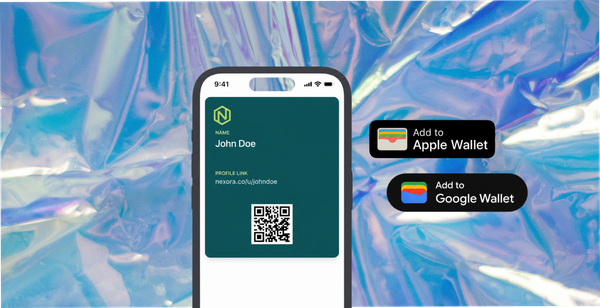
The reward, named upfront - "Film 30 to 60 seconds of how you use it and we will put $15 in your Apple or Google Wallet" is a complete brief. The reward is part of the ask, not a footnote. Customers who see the reward upfront have a reason to keep reading; customers who see it at the bottom have already decided not to bother.
How to write a content request that actually gets responses covers brief structure decisions across photo and video formats.

The Submission Flow: Removing Every Unnecessary Step
The brief gets a customer interested. The submission flow determines whether they complete.
Every additional step between "I want to submit" and "submitted" is a drop-off point. An upload flow that requires platform login, account creation, email attachment, or multiple navigation steps will lose the majority of customers who were initially willing to participate.
The submission path should be a single link in the post-purchase email. That link opens a mobile-optimised form where the customer uploads or records directly from their phone, reads the terms, and submits. Two minutes maximum, no account required.
The terms at submission are where rights clearance happens. When a customer submits through a form with explicit consent covering the brand's intended uses - including paid advertising - the video arrives rights-cleared from the moment it enters the library. This matters more for video than for any other content type because video typically includes the customer's face, voice, and likeness - which creates a higher legal exposure if used in paid ads without documented consent.
How 82DASH looks after rights management covers the clearance model and why rights collected at submission are more robust than retroactive permissions for video content specifically.
The Reward That Makes Video Worth Submitting
Video requires more effort than a photo or a text review. The reward threshold is higher accordingly.
A $10-$20 wallet pass reward is the right range for a 30-60 second video. The wallet pass format outperforms email coupon codes for a specific reason: it lands on the customer's home screen immediately, is accessible from the lock screen, and resurfaces at the point of the next purchase rather than getting buried in a promotions folder.
Stackla data on incentivised content collection shows that video submission rates are particularly sensitive to reward structure compared to text reviews. The effort is higher so the reward has to be proportionate. Matching reward to effort is the difference between a request that generates a trickle and one that generates enough volume to rotate in paid social.
The reward also signals that the submission mattered. A customer who submitted a video, received a wallet pass reward, and saw their content appear on the product page or in an ad has had a complete positive experience with the brand. That customer is more likely to submit again, more likely to reorder, and more likely to recommend.
How to reward customers for photos, videos and feedback covers reward mechanics and delivery format decisions in detail.
Where to Use Customer Videos on Shopify
Product pages - in-use and testimonial videos on product pages address conversion anxiety that text reviews cannot. A customer video showing the product in real use answers the unspoken question: does this actually work the way it looks? Bazaarvoice data consistently shows conversion uplift when shoppers interact with video content on product pages compared to text and photography alone.
Paid social ads - short customer video (15-30 seconds) running as a Meta, Instagram, or TikTok ad performs differently from studio creative. It looks native. It carries trust signals. TikTok in particular favours this format algorithmically - genuine customer video often outperforms produced brand creative at a fraction of the cost. The prerequisite is documented rights covering paid use, which a structured submission form provides.
Email sequences - a customer video thumbnail in a post-purchase sequence drives higher click-through than a static brand image. A customer who just bought the same product seeing another customer's 30-second video of it in use reinforces the purchase decision and reduces the anxiety that leads to returns.
Organic social - rights-cleared customer video can be reposted to Instagram Reels, TikTok, and YouTube Shorts with confidence. The difference from uncleared content is that you know you can use it without the risk of a creator disputing the post after it has already gone live.
82DASH organises collected video by product and format in a content library that connects directly to the channels where it will be deployed.
How Much Video to Expect
With a well-built collection flow running on every order cohort, video submission rates typically sit at 3-5% for Shopify brands with a genuine reward and a specific brief. For a store shipping 500 orders per month, that is 15-25 new customer videos monthly.
That volume is enough to rotate paid social creative without fatigue, update product pages on a monthly cadence, and generate enough variety across products and use cases to run channel-specific versions.
The library compounds. A video collected this month is still in the rotation six months from now. A brand running this consistently for a year has 180-300 videos in its library - a content asset that took no production budget to build.
How to measure UGC ROI provides reference performance data for customer video in paid channels, including CTR and conversion benchmarks by content type.
Isabelle Simon - Communications Lead - 82DASH
Frequently Asked Questions
How do I get customers to send me videos for my Shopify store?
Send a specific video brief in your post-purchase email sequence, ten to fourteen days after confirmed delivery. The brief should tell customers exactly what to film, how long to make it, and name a genuine reward upfront. A single-link mobile-optimised submission form removes friction from the upload process. The combination of a specific ask and a real reward - delivered as a wallet pass rather than a coupon code - drives submission rates of 3-5% at steady state.
What kind of customer videos work best for Shopify?
In-use videos showing the product in a real environment perform best for product page conversion. Short 15-30 second clips work best in paid social and TikTok/Reels placements. Unboxing videos perform well at the awareness stage. Before and after videos are particularly effective for products with a visible result. Match the brief to the deployment use case rather than asking for generic "experience" content.
Do I need rights clearance to use customer videos in Shopify ads?
Yes. Customer videos in paid ads - especially those that include the customer's face or voice - require documented consent specifically covering commercial use. An informal DM permission is not sufficient. The cleanest approach is to collect consent at the point of submission through a form with clear terms covering paid advertising use. This makes every video that arrives in the library immediately usable in paid social without any additional clearance steps.
How long should customer videos be for Shopify ads?
15-30 seconds for paid social placements - long enough to say something meaningful, short enough to watch in full before the viewer scrolls past. For product pages, 30-60 seconds gives the customer enough time to demonstrate real use. Brief customers on the target length explicitly - most will not know what to aim for without guidance.
How much should I pay customers for video submissions?
$10-$20 in a wallet pass reward is a reasonable range for a 30-60 second video. Video requires more effort than a text review, so the reward threshold is higher. Wallet pass delivery outperforms email coupon codes because the reward lands on the phone immediately and resurfaces at the point of the next purchase. Test submission rates against reward level - if volume is lower than expected, the reward may need to increase before adjusting the brief.