Apple Passbook vs Google Wallet: What Actually Differs
Apple Passbook became Apple Wallet in 2015. The feature lists look identical. The notification rules are not, and that is the difference that changes what you can build.
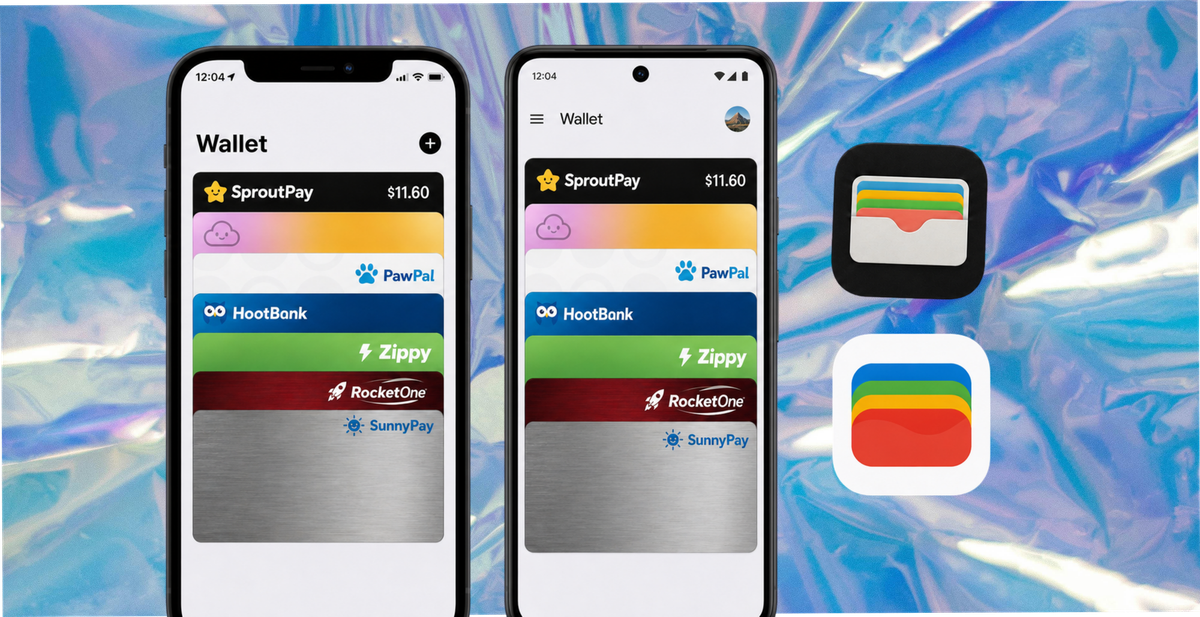
Apple Passbook became Apple Wallet in September 2015, so a Passbook versus Google Wallet comparison is really Apple Wallet versus Google Wallet. On a feature list they look equivalent. The difference that changes what you can actually build is how each one lets you message a customer after they have saved the pass.
This guide covers what each one is, what a customer experiences on each, whether an Apple pass opens on Android, and what all of it means if you are the one issuing passes.
The Comparison, in One Table
| Apple Wallet | Google Wallet | |
|---|---|---|
| Former name | Passbook, renamed 2015 | Google Pay and Android Pay, consolidated 2022 |
| Runs on | iPhone, mirrored to Apple Watch | Android phones and Wear OS |
| Pre-installed | Yes, every iPhone | Usually, though not every device or region |
| Extra install for the customer | None | Occasionally, and a Google account is used to save |
| Pass format | Signed .pkpass file |
Google Wallet API pass object |
| Apple's framework | PassKit | Not applicable |
| Issuer can update a saved pass | Yes | Yes |
| Issuer can trigger a push message | Yes | Yes, on loyalty, offer and ticket passes. Not on generic passes |
| Daily push limit | None documented | Three per pass per 24 hours |
| Who writes the lock screen text | The issuer | Google Wallet |
| Contactless payment | Apple Pay | Google Pay |
| Opens the other platform's passes | No | Partially, with limits |
Four rows do the work: the daily limit, who writes the text, the extra install, and pass portability. The rest is close enough to equivalent that it should not change a decision.
What Happened to Passbook, and What Apple Calls It Now
Apple launched Passbook with iOS 6 in September 2012 to hold boarding passes, tickets, store cards and coupons. In September 2015, with iOS 9, it was renamed Wallet and absorbed Apple Pay. It later added transit cards, digital car and hotel keys, and state-issued IDs in supported US states.
The pass format did not change. A pass built in 2013 still opens in Apple Wallet today, which is unusual longevity for a mobile format and worth knowing if you are judging how long a pass programme will keep working.
On the naming, which trips people up. Apple's developer framework is called PassKit. It has not been renamed and there is no such thing as Wallet Kit. Apple's developer documentation is titled "PassKit (Apple Pay and Wallet)", and the pass file format and update web service are documented alongside it under Wallet Passes. If a vendor tells you PassKit is deprecated, they are wrong.
Separately, PassKit is also the trading name of a commercial pass company. Two different things, one word, and a reliable source of confusion in vendor conversations.
Notifications: Where the Platforms Actually Diverge
Most comparisons put "push notifications: yes" against both and move on. Both do support them. The rules are different enough to change what you can build.
Apple
The issuer runs a web service. When a customer saves a pass, their device registers with that service and hands over a push token. When you change a field, your server sends a push and the device fetches the update. You choose the timing, the trigger, and the wording, because the message shown on the lock screen comes from the changeMessage you set on the changed field. Apple documents no daily cap on this.
Google's loyalty card documentation sets out two routes, both available to the issuer:
Add a message and notify. An AddMessage call with message_type set to TEXT_AND_NOTIFY adds a message to the back of the pass and pushes a notification. Tapping it opens the pass with a View Message button.
Update a field and notify. An UPDATE or PATCH call with notifyPreference set triggers a lock screen notification, on a defined subset of fields.
Three constraints come with them, and they are the whole story:
| Constraint | Detail |
|---|---|
| Frequency | Three notifying messages or updates per pass per 24 hours. Further attempts return a quota error |
| Wording | The lock screen notification text is controlled by Google Wallet, not by you |
| Link policy | Messages may link only to a site or app related to the pass. Sending people elsewhere breaches the acceptable use policy |
Customers must also have notifications enabled for their passes on both platforms, which is true of every channel and is the reason nobody should promise guaranteed delivery.
One pass type is the exception. Google's generic pass type does not support issuer-authored push at all. It gets two automatic time-triggered notifications instead: an upcoming reminder 24 hours before the pass interval starts, and an expiry reminder 48 hours before it ends. If a vendor builds your loyalty programme on generic passes rather than the loyalty pass type, you lose the messaging entirely. That is a fair question to ask them.
What this means in practice. A weekly offer message works on both platforms. A campaign that depends on several sends in a day works on iPhone and hits a wall on Android. And if your notification copy is part of your brand voice, accept now that Android customers will see Google's wording rather than yours.
What the Customer Experiences on Each
On iPhone. Wallet is pre-installed and cannot be removed. The customer taps a link, sees an Add to Wallet sheet, taps once, and it is saved. No account, no install, no sign-in.
On Android. Google Wallet ships on most devices, but not all, and availability varies by region and manufacturer. Where it is absent the customer installs it from the Play Store, and saving uses their Google account. For most people this is invisible because they are already signed in. For a minority it is an extra step, and extra steps are where saves are lost.
On iPad, which catches people out. iPad has no Wallet app. It has Apple Pay in Settings for payment cards. Someone reading your email on an iPad will need their phone to save a pass.
Apple Watch mirrors passes from the paired iPhone, which is the most convenient place to present a barcode at a counter.
So on iPhone the save is one tap for everyone, and on Android it is one tap for most and two or three for a few. Small, but it is the usual reason Android save rates come in slightly below iPhone even when everything else is done well.
Can an Apple Pass Open on Android?
Partly, and the limits matter more than the capability.
Google has been rolling out support for importing .pkpass files into Google Wallet, though availability varies by region and device, so you cannot assume every Android customer has it. An imported pass is converted rather than natively issued, and a converted pass can lose the things that made it useful: your ability to update it, and the notifications attached to those updates. Check Google's current guidance for the markets you sell into before relying on it.
Where import is unavailable, Android users open Apple passes with third-party reader apps. Those work, but the customer has to find one, install it, grant permissions, and live with the adverts on the free tiers. Most abandon at the point where nothing happens when they tap your link.
The conclusion for an issuer is straightforward. Issue natively to both wallets. Do not issue Apple-format passes and rely on Android customers finding their own way in. Your dashboard still records that a pass was issued either way, so the programme will look healthier than it is.
Payments Versus Passes, Which Get Confused
Both apps hold two different things, and conversations go wrong when people mix them.
Payment cards are the bank card in Apple Pay or Google Pay. Adding one involves your bank, card network rules and device security hardware. As a business, you do not issue these.
Passes are loyalty cards, vouchers, tickets, memberships and contact cards. You do issue these, they carry a barcode or QR code for scanning at a counter, and they cost nothing per pass beyond your platform fee.
When a vendor quotes adoption rates, check which of the two they mean. Payment adoption figures run far higher than pass adoption figures, and the two get used interchangeably.
What This Means If You Are Issuing Passes
Support both. The iOS and Android share of your audience varies by country, age and income, and StatCounter is the quickest way to check the markets you sell into. In every major market both hold enough share that issuing to one gives up a large part of your customer base.
Design for three messages a day, not unlimited. If a campaign needs more than that on Android, it will not run. Build the value into the pass itself, the balance, the offer, the visible expiry date, so it still works when you have used your quota.
Write for Google's wording on Android. You control the message on the back of the pass. You do not control the lock screen line. Put the persuasion where you control it.
Put an expiry on rewards. It creates urgency without spending a notification, and both platforms surface an expiry reminder automatically.
Ask any vendor four questions. Do you issue natively to Google Wallet, or convert an Apple pass? Which Google pass type do you use, loyalty or generic? What exactly can you send an Android customer after they save? Does redemption connect to my till, and what stops a voucher being used twice?
For ecommerce brands the pass is usually a reward for something: a review, a photo, a completed form. For physical businesses it is usually a loyalty card or a voucher. The mechanics above are identical in both cases.
How 82DASH Fits
82DASH is a customer content library. It collects photos, videos and feedback directly from customers, and a wallet pass is what the customer receives for taking part.
Passes are issued natively to both Apple Wallet and Google Wallet, so there is no conversion step and no reader app on either side. A customer scans a code or follows a link, submits, and the pass lands in whichever wallet their phone uses.
Two things matter beyond the pass itself.
Rights are cleared at submission. If you asked for a photo or a video, the agreement covering marketing use is captured when the customer hands it over. That is the difference between content you have and content you may run. The rights management page sets out how.
The pass persists after the reward is spent, so the next request goes to someone who has already taken part once.
You can test the whole flow without paying. The free tier covers form-based campaigns, which answers the only question worth answering first: do your customers actually complete it and save the pass. Paid plans start at $50 a month and the pricing page has the detail.
Underneath it: pay your customers, not creators. The people who already bought from you will photograph the product for the price of a small reward, and their version carries more weight because nobody paid them to hold the opinion.
Start free with forms to Apple and Google Wallet
Isabelle Simon, Communications Lead, 82DASH
FAQs
Is Apple Passbook the same as Apple Wallet?
Yes. Apple renamed Passbook to Wallet in September 2015 with iOS 9, and expanded it to hold Apple Pay cards, digital keys and IDs alongside passes. The .pkpass format did not change, so passes issued under the Passbook name still work today.
Can I use Apple Wallet on Android?
No. Apple Wallet is iOS only and Google Wallet is the Android equivalent. Google has been rolling out the ability to import .pkpass files, but availability varies and an imported pass can lose update and notification support, so it is not a substitute for issuing natively.
Can a business send a push notification to a Google Wallet pass?
Yes, on loyalty, offer and ticket pass types, either by adding a message set to notify or by updating a notifying field. You are limited to three per pass per 24 hours and Google controls the wording shown on the lock screen. Apple works differently: no documented daily cap, and the issuer writes the message. Google's generic pass type supports no issuer-authored push at all.
Is Apple Wallet on iPad?
No. iPad has Apple Pay in Settings for payment cards, but not the Wallet app. Passes live on iPhone and mirror to a paired Apple Watch.
Do customers need to install an app?
Not one of yours, which is the point. Apple Wallet is pre-installed on every iPhone. Google Wallet ships on most Android devices, though not all, and saving a pass uses the customer's Google account.
Which should a business support?
Both, issued natively. Supporting one platform means losing a large share of customers at the first tap, and the work of supporting both sits with your pass platform rather than with you.
Further Reading
- Wallet passes for business
- Apple Wallet vs Google Wallet for business
- Google Wallet vs Apple Wallet for small business and hospitality
- How to turn a form into an Apple or Google Wallet pass
- Apple Wallet developer documentation
- Google Wallet developer documentation
- Mobile OS market share, StatCounter