Apple and Google Wallet Passes for Restaurants: The Setup Guide
Set up a restaurant wallet pass in an afternoon. The reward, the terms, the QR placement, and the redemption process your staff need before the first busy Friday.
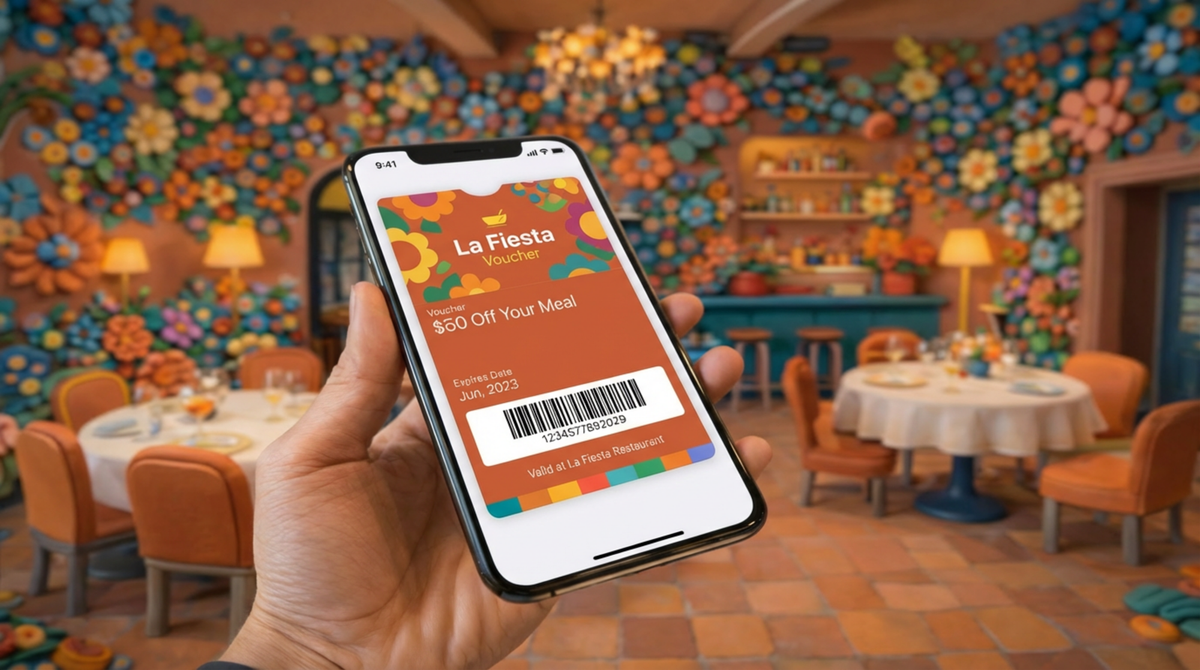
A restaurant wallet pass is a digital card that lives in the wallet app already on your customer's phone, next to their bank cards and boarding passes. It can hold a stamp card, a voucher, a membership or a simple offer, and you can update it after they have saved it.
You do not need an app, a developer, or an agreement with Apple or Google. You need a pass platform, a reward worth having, and a way to put the invitation in front of a customer who has just eaten well. Setting one up takes an afternoon.
This guide covers the whole loop: choosing the reward, building the pass, getting it onto the phone, and the part most guides skip, which is what happens at the counter when somebody tries to redeem it.
Why the Wallet and Not an App
A customer will not download an app for one restaurant. They will add a pass to a wallet they already have open several times a day, because it costs them one tap and no storage.
That is the entire argument, and it holds without needing statistics to prop it up. The wallet is already installed, already used for payment, and already trusted with cards that matter.
What you get in return is a card that cannot be left in a coat pocket, cannot go through the wash, and can be changed after the customer has taken it. A paper stamp card is fixed at the moment of printing. A wallet pass is not.
Two practical points before the setup.
One pass covers both platforms. A properly built pass works in Apple Wallet on iPhone and Google Wallet on Android. The formats differ underneath, and your pass platform handles that. You design once.
Notifications are a capability, not a guarantee. A wallet pass can send a message to the customer's phone without them installing anything. It is also subject to their notification settings, the platform's rules, and what your pass platform supports. Treat it as a channel that usually reaches people, not one that always does. Anyone promising guaranteed lock-screen delivery is overselling it.
The Setup, Step by Step
Six steps. The first two are decisions, the rest is configuration.
1. Choose the reward. This is the step that decides whether any of it works. A free coffee after eight, 20% off the next visit, a free starter on a Tuesday. Pick something a regular would actually cross the road for, and something you can afford to give repeatedly. Vague rewards fail. "Exclusive offers" is not a reward.
2. Define the terms before you build anything. How long is it valid? Can it be used with other offers? Is it one per customer or one per visit? Does it work at lunch? Write these down now, because they go on the back of the pass and they are what your staff will be asked about.
3. Create the pass. Set the front of the pass to carry the reward and nothing else. Logo, colours, the offer, an expiry if there is one. Everything else, terms, redemption instructions, your address and phone number, goes on the back. A cluttered front is the most common design error and it makes the pass look like advertising rather than a card.
4. Distribute the invitation. A QR code on the table talker, the receipt, the menu, or a sticker at the till. The code points to a page where the customer taps Add to Apple Wallet or Add to Google Wallet. One scan, one tap. If your platform supports dynamic codes, use them, so the destination can change later without a reprint.
5. The customer saves the pass. This is out of your hands and it is where most of the drop-off happens. Make the landing page say what they are getting in the first line.
6. Validate and redeem. Covered below, because it deserves its own section.
Redemption, Which Is Where Programmes Actually Fail
Everything up to this point is marketing. This is operations, and a loyalty scheme that nobody can redeem at the counter dies in its first fortnight.
What your staff need to do. Decide this before launch and tell them. Typically the customer shows the pass, a member of staff checks it is valid and not already used, applies the discount manually or scans a barcode, and marks it redeemed. Practise it once with the team.
How validation actually works. The mechanism worth understanding, because it is what makes a voucher single-use rather than infinitely reusable: the platform that issued the reward generates a dynamic code rather than a static one. When that code is used, the issuing platform knows. That is what closes the loop, and it is the difference between a voucher you can control and a picture of a voucher.
With 82DASH, redemption runs through Shopify POS or Lightspeed X Series, and staff validate by scanning. If you run Square or SumUp, content collection works but counter redemption is manual, and it is better to know that now than during service.
Three questions to ask any other vendor. The answers vary far more between platforms than the marketing pages suggest.
- Does it connect to my till, and which systems specifically?
- Is the code dynamic, so you know when it has been used?
- Can the same pass be redeemed twice, and what stops it?
If the answer to the first is no, redemption is a manual process. Workable at low volume, painful at high volume.
Expiry. Put one on. An offer with no end date never creates a reason to come back this week, and it sits on phones indefinitely as an open liability.
The awkward cases. Customer has no signal. Customer deleted the pass. Customer is on a friend's phone. Agree an answer now: most operators default to honouring it and moving on, because arguing about a free coffee costs more than the coffee.

The One Sentence That Moves the Number
Placement and design matter less than whether anybody mentions it.
A code sitting on a table that staff never refer to gets scanned by a small fraction of the people who walk past it. One sentence at the point of paying changes that figure more than any change you can make to the artwork.
Give the team the exact wording rather than the general idea, because "tell customers about the loyalty thing" becomes nothing on a busy Friday. Something like: "If you scan that code you will get a free coffee on your next visit, it takes about ten seconds." Specific reward, specific effort, no jargon.
Then make it part of the till routine rather than an optional extra. The moment it is optional, it stops happening exactly when you most need it to be happening.
The Customer Journey
| Stage | What the customer does | What you need in place | Where it breaks |
|---|---|---|---|
| See | Notices the QR code | A code somewhere they look while seated or paying | Code is on a poster behind them |
| Scan | Opens the landing page | A mobile page that states the offer in the first line | Page explains the brand, not the reward |
| Save | Taps Add to Wallet | A correctly signed pass for both platforms | Broken or unsigned pass, nothing happens on tap |
| Leave | Walks out with the pass | Nothing | Nothing |
| Return | Comes back, opens the pass | A reward worth returning for, still valid | Expired, or was never compelling |
| Redeem | Shows the pass at the counter | Staff who know the process, a validation method | Staff have not been told, queue forms, goodwill lost |
| Again | Receives a message later | Notification capability and something worth saying | Messages with no offer, customer deletes the pass |
The row that decides the programme is the second-to-last one. Everything before it is setup, and everything after it depends on it having gone smoothly.
Launch Checklist
- Reward chosen, and you would use it yourself
- Terms written: validity, exclusions, one per customer or per visit
- Pass built, front carries only the offer
- Back of pass has terms, redemption instructions, address and phone
- Tested on a real iPhone and a real Android, not a simulator
- QR code printed at a size that scans in your actual lighting, 2cm minimum
- Code placed where a seated or paying customer will see it
- Every member of staff has redeemed one, once, in training
- Redemption method agreed and written on the staff noticeboard
- Expiry set
- Someone owns sending the first message, with a date in the diary
The two that get skipped are the Android test and the staff run-through. Both surface on the first busy Friday.
Choosing the Software
Platforms differ on price, till integration, redemption handling and whether notifications are included. We maintain a comparison at best digital wallet pass tools for restaurants and hotels, which is the right place to start if you are choosing rather than already committed.
The questions worth asking any vendor: which till systems does it validate at by name, is the code dynamic so reuse can be stopped, what does it cost when I have a thousand passes rather than fifty, and are notifications included or metered.
Where 82DASH Fits
Most wallet pass platforms issue the card and stop there. 82DASH is built around a different loop: the pass is what the customer gets in exchange for something.
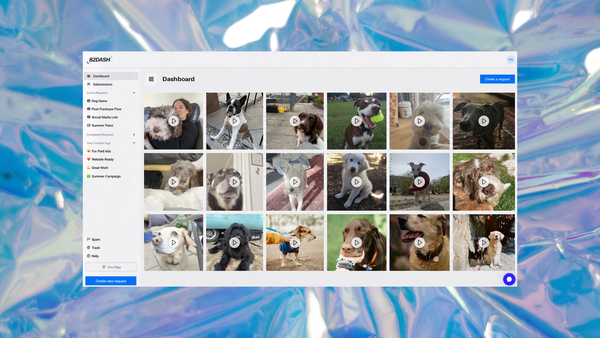
A customer scans the code, submits a photo of their meal, a short review, or an answer to one question, and the reward lands in their wallet. One action, two outcomes: they get a reason to come back, and you get content you can use, with rights cleared at the point of submission.
That last part is the difference between a photo you have and a photo you may legally put behind ad spend. Our rights management page sets out how the agreement is captured.
For a restaurant this matters more than for most businesses, because the asking problem is already solved. The customer is sitting in front of you, having just eaten. What is missing is the mechanism, not the opportunity, and your till records what left the kitchen rather than what anybody thought of it.
The reward does not need to be large. Immediacy does more work than value, and a small thing arriving in seconds beats a larger thing promised by email. Our guide to rewarding customers for photos, videos and feedback covers what tends to work.
There is a principle underneath this worth stating plainly: pay your customers, not creators. A restaurant commissioning a photographer is paying someone with no relationship to the food. The people who chose it, ate it and enjoyed it will photograph it for the price of a coffee, and their version is more believable because nobody paid them to enjoy it.
Start free with a form-only campaign
Isabelle Simon, Communications Lead, 82DASH
FAQs
Do customers need to download anything?
No. Apple Wallet is built into iPhone and Google Wallet is built into Android. A customer scans a code, taps Add to Wallet, and the pass is saved. There is no app to install and no account to create.
Can I send messages to customers who have my pass?
Wallet passes support notifications, and unlike email they do not depend on an inbox. They do depend on the customer's notification settings and the platform's rules, so treat delivery as likely rather than certain. On 82DASH, push notifications are available on paid plans rather than the free tier.
What stops someone redeeming the same voucher twice?
A dynamic code rather than a static one. The platform that issued the reward generates a code tied to that issue, so when it is used the platform knows. A static code printed on every pass can be shared, screenshotted and reused indefinitely, which is an expensive problem to discover during service.
Does this work with my till?
With 82DASH, redemption runs through Shopify POS and Lightspeed X Series, with staff validating by scanning. On other till systems content collection still works, but counter redemption is manual. Ask any vendor which POS systems they support specifically rather than accepting "integrates with your POS".
How do I get customers to actually scan the code?
Placement and a specific offer. A code on the receipt or the table, with a first line that says what they get, outperforms a code by the door with "join our community". One sentence from a staff member at the point of paying moves the number more than any design choice.
Further Reading
- Best Digital Wallet Pass Tools for Restaurants and Hotels
- How to Use Wallet Passes to Collect Customer Content After Every Visit
- Restaurant Loyalty Platforms with Apple and Google Wallet Integration
- Apple Wallet developer documentation
- Google Wallet developer documentation
- Shopify POS help documentation
- Lightspeed Retail
- QR code specification, Denso Wave