How to Send Push Notifications to Shopify Customers Without an App
Email open rates for Shopify brands sit at around 20%. Wallet pass push notifications reach approximately 99% of cardholders - no app download required. Here is how to set them up.
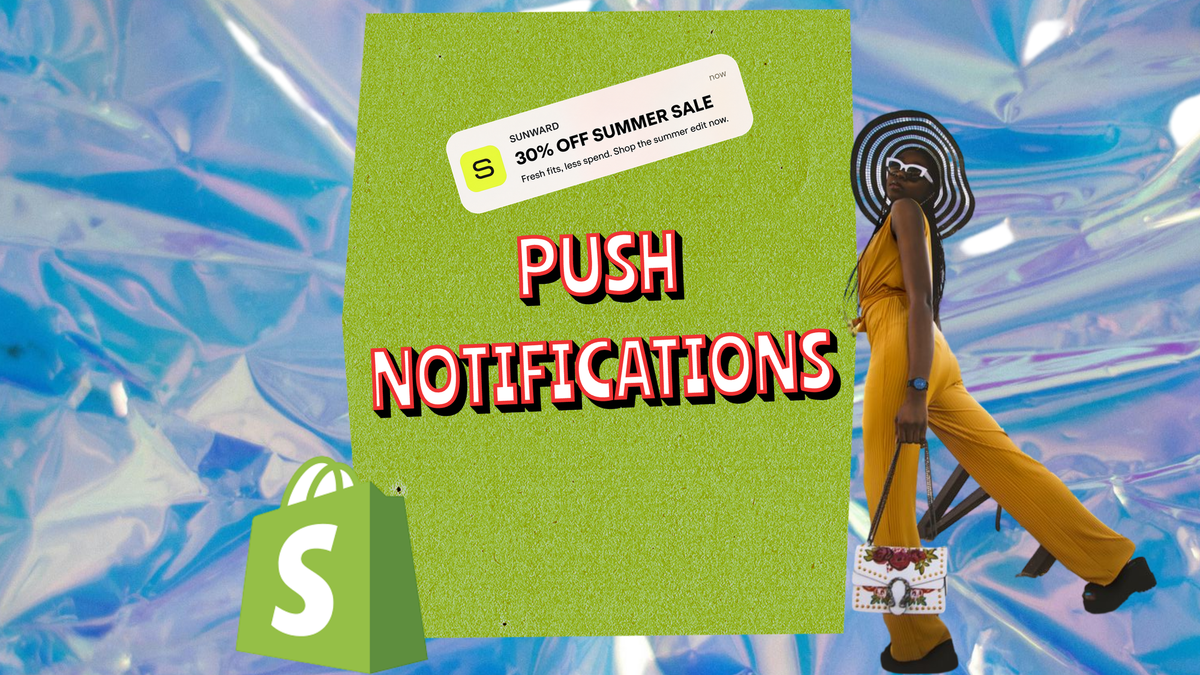
Email open rates for ecommerce sit around 20%. That means for every five customers you email about a reward, a restock, or a flash sale, four of them do not see it.
SMS has better open rates, but consent requirements are strict, opt-out rates are high, and customers treat unsolicited brand text messages as intrusive. Building a dedicated loyalty app to access native push notifications is a $30,000-$50,000 development investment before a single notification is sent - and that assumes customers download it, which most will not.
There is a channel that delivers push notifications at approximately 99% open rates, requires no app download from the customer, and connects to Shopify without development work: Apple Wallet and Google Wallet passes.
"Their main advantage is immediacy. Way better than email for things like a 2-hour flash sale or a back-in-stock alert for a popular item. That's where they shine." — r/ecommerce
Why Standard Re-Engagement Channels Fall Short
The economics of Shopify customer retention are built around email. Most Shopify brands have an email list, a Klaviyo or Mailchimp account, and a post-purchase sequence. Email is the channel for rewards, win-backs, restock alerts, and loyalty updates.
The problem is not that email does not work. It is that the 20% open rate is the ceiling, not a baseline. A brand with 10,000 customers on its email list reaches approximately 2,000 of them with each send. The other 8,000 receive nothing useful because the message is sitting in a promotions folder.
SMS reaches more attention per send, but getting consent to message customers via SMS is harder since GDPR and TCPA regulation tightened. Many Shopify brands do not have the right consent on file, which means SMS is not available to them for the bulk of their list.
A custom mobile app solves the problem technically - native push notifications bypass email and SMS entirely. But the adoption problem remains. Customers will not download a dedicated app for a single Shopify brand. The development cost and the adoption hurdle make apps unviable for most DTC stores.
What Wallet Pass Push Notifications Are
A wallet pass is a digital card issued to a customer's Apple Wallet or Google Wallet. When a brand wants to send a message to a cardholder, it sends a push notification through the pass platform. The notification appears as a native lock screen alert on the customer's phone.
This is different from an email notification or an in-app message. It uses the same system as payment card alerts and boarding pass gate changes - the most trusted and most attended-to notification format on a smartphone. Brandmovers research on mobile wallet loyalty puts the open rate for wallet pass push notifications at approximately 99%.
The customer does not need to have the Wallet app open. The notification appears on the lock screen regardless of what the customer is doing. When they tap it, the wallet card opens directly.
For a Shopify brand, this means a loyalty update, a reward reminder, or a flash sale announcement reaches virtually every customer who has a wallet card installed - not 20%, not 40%, but almost all of them.
How to Set Up Wallet Pass Push Notifications for Shopify
Setting up wallet pass push notifications for Shopify requires three components: a pass platform, a Shopify integration, and a distribution method.
The pass platform handles the technical generation of Apple Wallet and Google Wallet cards and the sending of push notifications. Platforms including PassKit, Walletly, and Passes.com provide editors for designing the card and APIs for updating it. None of this requires writing code - these platforms have interfaces for setting up templates and configuring notification rules without development work.
The Shopify integration tells the pass platform when to act. The integration connects Shopify order events (order placed, order fulfilled, order delivered) to pass platform actions (issue a new card, update a balance, send a notification). Most pass platforms have a Shopify connector that sets this up through the Shopify app store or a direct webhook.
The distribution method is how customers receive the link to install their card. The most common approach is including the installation link in the order confirmation email or a dedicated post-purchase email. The customer taps the link, sees a native "Add to Wallet" prompt on their device, and the card installs in seconds. Apple Wallet and Google Wallet are pre-installed on virtually every modern smartphone - there is nothing new to download.
How to turn a form into an Apple or Google Wallet pass covers the end-to-end flow for connecting submission forms to pass generation and distribution.
What to Send: High-Value Notification Types
Not all push notifications are equal. The ones that perform best have one characteristic in common: they are relevant to the specific customer's account at the specific moment they are sent.
Balance update. When a customer places an order and earns loyalty points or stamps, a push notification confirming the update ("You've earned 50 points - you now have 175 total") closes the loop between the purchase and the reward. It reinforces that the programme is working and surfaces the card at the point where the customer is most likely to install it if they have not already.
Reward threshold reached. When a customer's balance crosses a reward threshold ("You've unlocked a $15 reward"), the notification is the announcement. This is the highest-value notification in any loyalty programme - the customer has completed a task and the reward is now available. The timing is exact: the notification fires when the threshold is crossed, not on a schedule.
Expiry reminder. A push notification sent three to seven days before a reward expires ("Your $15 reward expires in 5 days") drives redemption by creating urgency. Unlike an email expiry reminder that may land unread, a lock screen alert at a relevant moment is much more likely to prompt action.
Flash sale or exclusive offer. A brand with 5,000 wallet card holders can reach all 5,000 simultaneously with a single push notification announcing a 48-hour sale, a restock of a popular product, or an early access window. This is the equivalent of sending an email that gets 100% open rates instead of 20%.

Compliance: What Wallet Pass Notifications Are (and Are Not)
Wallet pass push notifications occupy a different regulatory position from email or SMS.
Email is governed by CAN-SPAM (US) and GDPR (UK/EU), with specific consent and unsubscribe requirements. SMS is governed by TCPA (US) and PECR (UK), with strict prior consent rules. Wallet pass push notifications are not email or SMS - they are a feature of a digital card the customer has chosen to install on their phone.
The consent for wallet pass notifications is implicit in the card installation. When a customer installs a wallet card, they are installing a card that can receive updates and notifications - this is inherent to what a wallet card is, and most pass platforms include this disclosure in the installation flow.
This does not mean notifications should be sent without discretion. Excessive push notifications can cause card deletion, which is the wallet pass equivalent of unsubscribing. The best practice is relevance over volume: notifications tied to account events (balance updates, reward unlocks, expiry) and time-limited offers, rather than general broadcast marketing.
Wallet Pass Notifications vs Email: A Practical Comparison
| Channel | Typical open rate | Consent friction | Delivery mechanism | Cost |
|---|---|---|---|---|
| ~20% | Low | Inbox (competed) | Low per send | |
| SMS | ~45-65% | High | Direct to messages | Medium per send |
| Wallet pass push | ~99% | Very low (card install) | Lock screen (native) | Low per send |
The wallet pass channel is not a replacement for email - email remains the right tool for longer-form content, transactional messages, and communications where HTML formatting matters. It is a complementary channel for time-sensitive updates and loyalty communications where attention at the moment of delivery is what matters.
Apple Passbook vs Google Wallet: The 2026 Comparison covers the technical differences between the two platforms and how notification capabilities compare between them.
Connecting Push Notifications to Content Collection
For Shopify brands running a customer content programme alongside a loyalty or retention strategy, wallet pass notifications can serve both purposes simultaneously.
The flow: a customer submits a photo or video in response to a post-purchase content brief, receives a wallet card with a reward balance immediately on submission, and then receives push notifications when the reward is close to expiry or when a new content brief is available.
The wallet card becomes both the reward mechanism and the ongoing communication channel with the customer. Every content brief update reaches the customer at the lock screen, not in the promotions folder. Every reward expiry drives a return visit. The content collection programme and the re-engagement channel operate through the same infrastructure.
82DASH connects the post-purchase content collection flow to wallet pass reward delivery and push notification sending for Shopify brands, in a single integrated system.
Isabelle Simon - Communications Lead - 82DASH
Frequently Asked Questions
How do wallet pass push notifications work technically?
A wallet pass is a digital card installed on a customer's Apple Wallet or Google Wallet. When the issuing brand sends a push notification through the pass platform, Apple's or Google's infrastructure delivers it as a native lock screen alert on the customer's phone. The same system handles payment card balance alerts and boarding pass gate changes. The notification opens the wallet card when tapped, not a browser or app.
Do customers have to opt in to wallet pass push notifications?
The opt-in is implicit in installing the wallet card. When a customer installs a wallet card, they are installing a card that the issuing brand can update and send notifications through - this is part of what a wallet card is, and the installation flow discloses it. Customers who no longer want notifications can delete the card, which is the equivalent of unsubscribing.
How is this different from Shopify's built-in email notifications?
Shopify's built-in email notifications are transactional - order confirmation, shipping updates, refund notifications. They go to the customer's email inbox, where the open rate is around 20% for marketing emails. Wallet pass push notifications go to the lock screen as native device alerts. They are not email - they use the same infrastructure as payment card and boarding pass notifications, which is why the open rate is approximately 99%.
What does it cost to send wallet pass push notifications?
The cost is the pass platform subscription, not a per-notification cost. Pass platforms typically charge a monthly subscription based on the number of active passes rather than a per-send fee, which means notification sending is included in the platform cost. Entry-level plans start from under $50 per month for small volumes.
Can I send wallet pass notifications to customers who have not installed a card?
No. A wallet pass notification can only be sent to customers who have an active card installed on their phone. This is why card adoption at the point of purchase is important - the higher the proportion of customers who install a card after their first order, the larger the pool of cardholders you can reach via push notification.