How to Automate UGC Collection on Shopify
Asking customers for content once, manually, is a campaign. A flow that runs on every order cohort, at the right moment, with automatic reward delivery is a content library. Here is how to build one.
Asking customers for content once, manually, is a campaign. Running a post-purchase email, checking who responded, chasing those who did not, managing the submissions, and then starting again next month is a process that does not scale.
Most Shopify brands that collect customer content at all are doing it as a campaign: a push, a spike, a burst of submissions, and then nothing until someone decides to run the campaign again. The content that arrives is never enough, the timing is never quite right, and the operational overhead is enough to put the whole thing on the back burner.
Automating UGC collection means building a flow that runs on every order cohort without manual intervention. The customer buys, the brief goes out at the right moment, the submission comes in, the reward is delivered, and the content enters the library. No campaign. No chase. Just a system.
"Most merchants collect UGC through email/DM, manually save to Dropbox, resize in Canva, then upload to Meta without any way to attribute which specific video drove revenue... Biggest friction point: getting usage rights documentation that satisfies Meta's policy requirements. Stores spend more time chasing creator permissions than actually running the ads." — r/shopify
What Automated UGC Collection Looks Like
An automated UGC collection flow has five stages, each triggered by a Shopify event or a timer condition, rather than a manual action.
Stage 1 - Order fulfilled or delivered. The Shopify order moves to fulfilled or a delivery confirmation fires. The automation starts a timer.
Stage 2 - Wait. The automation waits 10-14 days after confirmed delivery. This is the most important timing decision in the whole flow. A UGC request that arrives before the customer has used the product asks them to submit content they do not yet have. A request at 10-14 days arrives when the experience is fresh and the customer has something worth sharing.
Stage 3 - Send the brief. An email or SMS goes out with a specific content brief: what to photograph or film, the format, and the reward. Not "share your experience" - a specific brief that tells the customer exactly what to create.
Stage 4 - Customer submits. The brief includes a single mobile-optimised link to a submission form. The customer photographs or films their content, uploads through the form, reads the rights terms, and submits in under two minutes.
Stage 5 - Reward delivery and content organisation. Submission triggers reward delivery (typically a wallet pass to Apple or Google Wallet), rights clearance is recorded, and the content enters a library organised by product.
The whole flow runs without anyone on the brand team taking any action. New orders enter stage one automatically. Content arrives in the library continuously.
Why the Timing Matters More Than Anything Else
The variable that most affects UGC collection rates is not the brief, not the reward, and not the submission path. It is the timing.
A request sent at day one of delivery is asking the customer to review or photograph a product they have just received. Most products require use before there is anything worth sharing. The customer puts the email aside and forgets it.
A request sent at day 30 has missed the window when the experience was fresh. The customer has moved on. Recall is lower. Motivation is lower. The response rate drops significantly compared to week two.
The 10-14 day window sits in the sweet spot for most physical products: long enough that the customer has used the product, short enough that the experience is still active and worth sharing. For skincare and supplements where results take longer to appear, the window shifts to 3-4 weeks. For immediate-use products like food, drink, or event tickets, the window is 2-3 days.
Automation makes it practical to set these different windows by product category or product tag in Shopify - orders tagged as skincare get a different brief timing than orders tagged as homeware. Manual campaigns cannot do this at scale.
Building the Brief into the Automation
The UGC brief - the specific content request that goes to the customer - is part of the automation, not a separate decision. Most brands configure one or two default briefs that apply across their product range, with the option to customise by product.
A working brief template has four elements in two to three sentences:
- What to create: "A 30-second vertical video of you using [product] at home" or "A photo of [product] in the space where you use it most"
- Why: "We share real customer content on our product pages and in our ads"
- The reward: "$15 added to your Apple or Google Wallet when you submit"
- How to submit: "Tap the link below to upload - takes under two minutes"
The brief does not need to be long. It needs to be specific. A customer who reads the brief should know immediately what to create without making a creative decision themselves.
Can you ask your customers for UGC? covers the legal framework for customer content requests and what you can and cannot include in an automated brief.
Rights Clearance in an Automated Flow
Automated UGC collection has one compliance requirement that cannot be skipped: rights clearance at submission.
Every piece of content collected through an automated flow needs to arrive with documented consent covering the brand's intended uses - including paid advertising if the brand plans to use customer photos in Meta or Google ads. A submission that arrives without rights documentation is not commercially usable, regardless of how good the content is.
The practical solution is a submission form that includes the rights terms as part of the submission step. The customer reads (or at minimum is presented with) the terms before completing their submission. Submitting constitutes consent. The consent is timestamped and logged alongside the content.
This approach means every piece of content in the library is rights-cleared from the moment of arrival. There is no retrospective permission chasing, no ambiguous social media reposting, no DM threads that may or may not constitute a rights agreement.
CGC vs UGC: rights, quality, and ROI explained covers why content collected through a brand-controlled submission process has different legal standing from content scraped from public social platforms.

The Reward and How to Deliver It Automatically
Automating the reward delivery is what makes automated UGC collection feel fast and trustworthy to the customer. A reward that arrives instantly on submission - not "within 2-3 business days", not "in your next order confirmation email" - closes the loop immediately.
The formats for automated reward delivery are:
Discount codes - generated automatically by Shopify on submission and included in the form confirmation message. The code lands in an email to the customer. The limitation is that email discount codes compete with the promotions folder and are often not retrieved at the point of purchase.
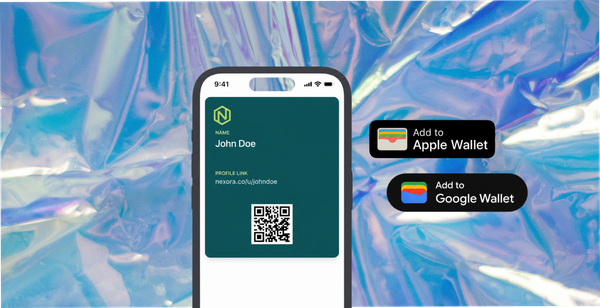
Wallet passes - a more effective delivery format. On submission, a wallet pass is generated and sent to the customer via email. The customer installs it with one tap and the reward balance is visible on their home screen and lock screen. When they shop again, the card is already in their Apple or Google Wallet - accessible at the point of purchase without searching for a code.
Push notifications can remind the customer of an expiring wallet pass reward, which creates a time-sensitive reason to return that a static discount code cannot.
How to reward customers for photos, videos and feedback covers reward format comparisons and why wallet pass delivery outperforms email coupon codes for conversion from submission to repeat purchase.
What the Content Library Looks Like
Automated collection produces a content library rather than a campaign archive. The difference matters operationally.
A campaign archive is a folder of submissions from a specific period, organised by when they arrived. Finding content by product requires manual search. The arrival rate is a spike around campaign time, then nothing.
A content library, built through automated collection, is organised by product and content type. Every order cohort contributes. The library grows at a predictable rate correlated with order volume. New content arrives every week. A brand shipping 300 orders per month at a 5% submission rate adds 15 new pieces of content per month - photos, videos, or reviews that are rights-cleared, tagged by product, and ready for use.
After six months of running a collection flow, that brand has approximately 90 pieces of content across its product range. After twelve months, it has a library that no creative campaign could replicate, built at a fraction of the cost of commissioned photography.
The Shopify post-purchase flow that builds a content library covers how the collection flow connects to the library and how brands organise and use the content that arrives.
Platforms That Handle Automated UGC Collection for Shopify
Several platforms enable automated UGC collection with a Shopify integration.
Yotpo and Okendo primarily handle review collection with photo and video add-ons. The automation handles review request timing and incentive delivery. Both have strong Shopify integrations and product page widgets.
Skeepers handles a broader content collection scope including video reviews and UGC campaigns, with brand controls over what is collected and when.
82DASH connects the post-purchase content brief, rights clearance, wallet pass reward delivery, and content library in a single automated Shopify flow - designed specifically for brands that want to collect photos and videos alongside reviews, with wallet pass rewards rather than coupon codes.
The right choice depends on whether the brand needs review collection, visual UGC, or both, and whether wallet pass delivery is part of the reward strategy.
Isabelle Simon - Communications Lead - 82DASH
Frequently Asked Questions
What is the difference between automated UGC collection and a UGC campaign?
A UGC campaign is a one-time push that generates a spike of submissions and then stops. Automated UGC collection is a flow that runs on every order cohort continuously - the brief goes out at the right post-purchase moment for every customer, without any manual trigger. A campaign produces a burst of content. Automation produces a library that compounds with every order.
How do I connect an automated UGC flow to Shopify?
Through a pass platform or UGC platform with a Shopify integration. The integration monitors Shopify order events (fulfilled, delivered) and fires the automation at the configured timing. Most platforms set this up through the Shopify app store or a webhook connection. No development work is required.
What submission rate should I expect from an automated UGC flow?
Brands with a structured brief, genuine reward, and correctly timed request typically see submission rates of 3-6% of order cohorts at steady state. This means a store shipping 400 orders per month adds 12-24 new pieces of content per month. Response rates vary by incentive value, brief specificity, and product category.
Do I need separate automations for reviews and for photos?
Best practice is separate requests at different timing points - a review request at day 10-12 (focused on a specific written question) and a photo or video brief at day 14-16 (focused on visual content). A single combined request that asks for both a review and a photo produces lower response rates than two separate focused asks. The automation can handle both sequences from a single setup.
What happens if a customer submits content I cannot use?
The submission form brief sets expectations about format and subject, which reduces unsuitable submissions significantly. Where content arrives that does not meet the brief - wrong orientation, wrong subject, or low quality - it can be marked as not approved in the content library without triggering the reward. The rights documentation and the reward should be structured to cover submitted content that meets the brief, not all content regardless of quality.