How to Collect Product Reviews on Shopify: Steps and Templates
Timing, wording and incentive rules, with templates you can paste. Plus the thing most guides get wrong: a customer who sends you a photo grants you a licence, not ownership.

Most Shopify stores collect reviews well for about a month after launch, then the flow quietly stops working and nobody notices until a new product page has none.
The cause is almost never the review app. It is the timing of the ask, the wording of the ask, and whether the customer has any reason to bother. All three are fixable in an afternoon, and none of them requires changing platform.
This guide covers when to ask, what to ask for, the exact wording to use, and the rules that govern incentives. It also draws a line that most guides blur: collecting a review and collecting marketing content are different jobs with different tools.
Why Review Requests Stop Working
Three failures, in order of how often they cause the problem.
The ask arrives before there is anything to say. A request sent on dispatch reaches a customer who has not opened the box. A request sent to a skincare buyer on day three produces "smells nice", which persuades nobody.
The ask is vague. "How did we do?" and "Leave us a review" give the customer no idea what to write, so they write nothing. A specific question produces a specific answer.
There is no reason to act. Writing a review is unpaid work for a stranger's benefit. Some customers will do it anyway. Most need a reason, and that reason has rules attached, covered below.
When to Ask
The right trigger is confirmed delivery plus however long the product takes to produce an opinion. That second part is category-specific and it is the variable most stores never adjust.
Treat the ranges below as starting points to test against your own data, not benchmarks. Your category, price point and repeat rate will move them.
| Product type | Suggested first ask | Why |
|---|---|---|
| Everyday goods, accessories, homeware | 7 to 14 days after delivery | Long enough to have used it, short enough to remember buying it |
| Skincare, supplements, anything with a claimed result | 21 to 30 days after delivery | Before this there is no outcome to describe |
| Apparel and footwear | 10 to 21 days after delivery | Needs at least one real wear, ideally a wash |
| Electronics and tech | 14 to 21 days after delivery | Past setup, into actual use |
| Food and drink | 3 to 7 days after delivery | Consumed quickly, opinion fades quickly |
| Consumables on a repeat cycle | At the second order | The repeat purchase is itself the endorsement |
| After a resolved complaint | Within 48 hours of resolution | Covered with a caveat below |
Two triggers most stores never use are in that table: the second order, and the resolved complaint. The second order is the strongest signal a customer has, because they voted with money twice.
The complaint trigger needs care. Asking only customers whose problems were resolved well is selective solicitation, and it skews your rating in a way regulators take an interest in. If you use this trigger, use it for everyone whose case closed, not only the happy ones.
What to Ask For, and the Exact Wording
Match the reward to the effort. Three sentences and a recorded video are not the same ask.
Text review
The lowest-effort request and the one to default to.
Subject: A quick question about your [product]
Hi [name],
You ordered [product] a couple of weeks ago, so you have had a chance to use it properly by now.
Two questions, and a sentence on each is plenty:
What did you use it for? What did you think of it?[Leave a review]
It takes about a minute and it genuinely helps the next person deciding.
Photo request
Higher effort, so the ask has to be more specific and the reward larger.
Subject: Where did your [product] end up?
Hi [name],
We would love to see your [product] in its natural habitat. No styling, no good lighting required, a phone photo is exactly what we are after.
[Send a photo]
As a thank you, we will send you [reward] once it lands.
Note what that does not say. It does not ask for a positive photo, and it does not promise the reward only if you like the result.
Video request
The highest effort, and the one most stores ask for too early.
Subject: 15 seconds, if you have them
Hi [name],
Would you record a short clip about your [product]? Fifteen to thirty seconds, filmed on your phone, no editing.
Three things to cover if it helps: what it is, what you think of it, and who you would recommend it to.
[Record a clip]
We will send [reward] as a thank you.
Give the three prompts. Left open, most people freeze. Given three questions, most people answer them.
The Rules on Incentives
Offering something for a review is allowed. Three conditions come with it, and the third is the one stores get wrong.
Disclose the incentive. A review written in exchange for something carries a material connection, and that has to be disclosed. The FTC's endorsement guidance is the reference point for US audiences and sets out what "clear and conspicuous" means in practice.
Never condition the reward on sentiment. You reward the act of submitting, not the content of the opinion. A customer who receives your reward and writes two stars has to receive it exactly as a five-star customer would. The moment a reward depends on positivity, you are buying reviews.
Do not solicit selectively. Asking only the customers you expect to be happy produces a rating that misrepresents your product, and it is the failure mode regulators look for. Ask everyone who bought.
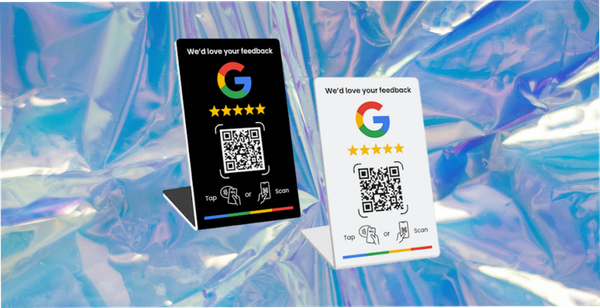
And follow the destination platform's own rules, which are stricter than the law in places. Google, for example, prohibits incentivised reviews on its own properties entirely, so an offer that is lawful in an email can still breach the rules of the platform you are sending people to. Check the policy of wherever the review will land before you design the offer.

Reviews and Content Are Different Jobs
This is where most guides, including our previous version of this one, blur something worth keeping clear.
| Storefront review apps | Shop app reviews | Customer content collection | |
|---|---|---|---|
| What it holds | Star ratings, text, sometimes photos, shown on your product pages | Ratings tied to your store within Shopify's Shop app | Photos, video, feedback collected directly from customers |
| Where it appears | Your own product pages and widgets | Inside the Shop app | Wherever you choose: ads, email, product pages, social |
| Who controls display | You | Shopify | You |
| Rights position | Usually display on your own site | Governed by Shopify's terms | Depends entirely on the agreement at submission |
| Suited to paid advertising | Not without separate permission | No | Yes, if rights were cleared properly |
| What it is for | Reassuring the next buyer on the page | Store-level trust inside Shopify's ecosystem | Supplying marketing creative |
82DASH sits in the third column and nowhere else. It does not put star ratings on your product pages, it is not a review app, and it is not an alternative to one. If you need reviews on product pages, buy a review app. Most stores that are serious about both end up running one of each, because they are doing different work.
Saying that plainly is more useful than pretending one tool covers everything.
Which review app
Since "which one" is the obvious next question, the three most commonly chosen by Shopify merchants are Judge.me, Okendo and Loox. They differ mainly on whether photo submission is the default or an afterthought, how much review attribute data they capture, and how deep the Klaviyo integration goes. Their own documentation compares them better than we can, and we have no incentive to be neutral, so read theirs rather than ours.
One thing to check whichever you pick: Shopify's own Product Reviews app has been retired. If a guide published before 2025 recommends it, that guide is out of date and anything else in it should be treated with the same suspicion.
And keep the Shop app's review system separate in your head. That is Shopify's own, it lives inside the Shop app, and it runs under Shopify's rules rather than those of a third-party app on your storefront.
What You Can Actually Do With What You Collect
The previous version of this guide said that content submitted to you is content "you own and can use commercially". That was wrong, and worth correcting plainly.
A customer who submits a photo does not transfer ownership of it. They grant you a licence, and what you may do is exactly what that licence says and nothing more. The copyright remains theirs.
Three practical consequences.
The licence has to be specific about channels. Permission to display a photo on your product page is not permission to run it as paid social creative. If the agreement does not name the channel, do not assume it.
It has to be captured at submission, not afterwards. Asking retrospectively, one photo at a time, does not scale and leaves you with a library you cannot confidently use.
A review and a photo are different. Text submitted to a review widget is being submitted for display in that widget. That is a narrow permission, and it is not a licence to lift the words into an advertisement.
Our rights management page sets out how the agreement is captured at the point of submission, and the glossary covers the terms.
Where 82DASH Fits
To restate the boundary: 82DASH is a customer content library, not a review platform. If what you need is star ratings on product pages, a review app is the right purchase and this is not it.
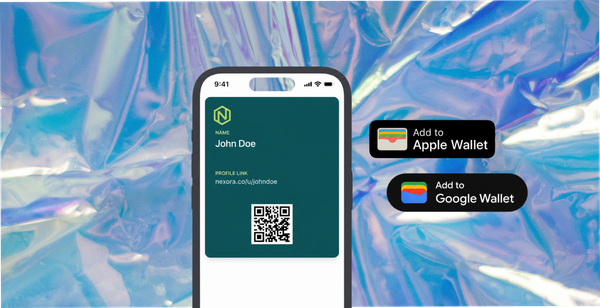
What 82DASH does is the third column of that table. A customer scans a QR code or follows a link, submits a photo, a video, or an answer to a question you set, and a reward lands on their phone in an Apple or Google Wallet pass within seconds. The rights agreement is captured at submission, which is what makes the content usable behind ad spend.
Two things follow that matter for review collection specifically.
The reward arrives immediately, rather than as a code emailed later that most customers never redeem. Immediacy does more work than value.
The wallet pass persists, so the second request goes to someone who has already said yes once and costs a fraction of the first.
Underneath sits the reallocation the whole category rests on: pay your customers, not creators. The budget going to commissioned creative could go to the people who already bought the product, and their version carries more weight precisely because nobody paid them to hold the opinion.
Start free with a form-only campaign
Install 82DASH on the Shopify App Store
Isabelle Simon, Communications Lead, 82DASH
FAQs
When should I send a review request on Shopify?
Trigger on confirmed delivery, then wait long enough for the customer to have formed an opinion. Seven to fourteen days suits most everyday products; twenty-one to thirty suits anything with a claimed result, such as skincare or supplements. Treat those as starting points and test against your own response data rather than adopting them as fixed rules.
Can I offer a discount for a review?
Generally yes, with conditions. The incentive must be disclosed, it must never depend on the review being positive, and you must ask all customers rather than only the ones you expect to be happy. Check the destination platform's own policy too, because some prohibit incentivised reviews outright regardless of what the law permits.
Do I own the photos customers send me?
No. The customer retains copyright and grants you a licence. What you may do with the photo is what that licence specifies, which is why capturing a clear agreement at the point of submission matters far more than the volume you collect.
How many reviews does a product page need?
Enough that the page does not look untested, which for most categories is a handful rather than hundreds. Rather than chasing a number, watch whether conversion on pages with reviews differs from pages without on your own store. That comparison is more useful than any benchmark.
Should I use a review app or a content platform?
They answer different questions. A review app puts star ratings and testimonials where buyers expect to see them. A content platform builds a rights-cleared library for advertising and email. Buying one and expecting it to do the other job is the most common and most expensive mistake in this decision.