CGC vs UGC: Why the Difference Matters for Ecommerce 2026
UGC is publicly posted content you don't own. CGC is directly submitted content you do. Most merchants confuse the two - and pay for it in ads.

There's a photo of your product on Instagram. A real customer took it. Good lighting, genuine excitement, exactly the kind of thing you'd want in your next ad.
You save it. You think: "I'll use this."
Then a compliance-aware colleague asks one question: "Did they give you permission?"
That moment - that pause - is the difference between UGC and CGC. And most Shopify merchants are on the wrong side of it without knowing it.
" Customer generated content feels more authentic because it comes from actual buyers sharing real experiences." - r/shopify
What Is the Difference Between CGC and UGC?
UGC is content a customer posted publicly, which you found and may not have permission to use. CGC, customer-generated content, is submitted directly to the brand through a structured request, with rights cleared at the point of submission. UGC is a stream you monitor. CGC is a library you can plan.
What UGC Actually Is (and What It Isn't)
UGC - user-generated content - is content customers create and post publicly. An Instagram photo of your product. A TikTok review. A YouTube unboxing. A Google review with photos attached.
It's public. It's visible. It's persuasive. And it's not yours.
The customer who posted it holds the copyright. They created it. Under copyright law in the US, the UK, and the EU, that creative work belongs to them automatically from the moment it's created - no registration required, no notice needed. A tag is not a transfer of rights. A mention is not a licence. Commenting "Love this! Can we share?" and receiving a heart emoji back is not a rights agreement.
What you can do with UGC without permission: display it on a social media aggregator widget on your website, reference it, link to it. What you cannot do without explicit rights: use it in paid advertising, include it in email campaigns, print it on packaging, feature it in a wholesale deck, or use it commercially in any way.
The FTC's updated endorsement guidelines are explicit: using a customer's content in advertising requires documented consent. The UK Intellectual Property Office and the EU's Digital Services Act framework both reinforce that commercial use of user-created content without consent constitutes infringement - regardless of how publicly the content was posted.
What CGC Is - and Why It's What Most Brands Actually Need
CGC - customer-generated content - is content customers create and submit directly to you, through a dedicated flow, with rights agreed at the point of submission.
The customer clicks a link in your post-purchase email. They upload a photo or record a 20-second clip on a branded page. At the point of upload, they agree to your licence terms - covering the specific channels you'll use the content on, the duration, and any modifications. You receive the content. You receive the rights. They receive a reward.
That's it. No ambiguity. No chasing permissions after the fact. No grey area about what a tag means legally.
CGC is what you actually need to run paid ads featuring customer content. It's what you need to put customer photos on product pages, in email campaigns, on packaging, in pitch decks for wholesale buyers. It's the only type of customer content you can use with full commercial confidence.
The distinction matters because most brands want CGC but think they're getting it through UGC. They're not.

The 79% Problem
Here's the number that changes the strategy.
Stackla research shows that 79% of customers say they are influenced by user-generated content in purchase decisions. But of all the customers who have a positive experience with a brand, the vast majority will never post about it publicly.
The customers who create and post UGC voluntarily are a small, self-selected group. They tend to be more engaged, more online, younger, and more active on social platforms. They're valuable - but they represent a fraction of your customer base.
The other 79% - the customers who love your product, would happily tell someone about it, but never open Instagram to post about brands - are invisible in a UGC strategy. They don't post, so they don't contribute, so you never collect their voice.
A CGC strategy changes that. A direct submission flow - a post-purchase email with a link to a branded collection page - reaches every customer, not just the ones who post publicly. The customer who would never tag you on TikTok will often record a quick video for a discount. The customer who doesn't have Instagram will upload a photo for a wallet reward. You're accessing a pool of content that a UGC strategy structurally cannot reach.
The Rights Problem Nobody Talks About Until It's Too Late
The legal exposure from misusing UGC is real, and it tends to surface at the worst possible moment - when you're scaling a successful ad, when a brand partnership is under review, or when an influencer's lawyer sends a cease and desist about a photo you've been running for 18 months.
The specific risks:
Using tagged social content in paid ads. This is the most common mistake. A customer tags you in an Instagram photo. You screenshot it, upload it to Meta Ads Manager, and run it. That's copyright infringement. The fact that the photo is about your product doesn't give you rights to it.
Reposting to your own social without permission. Even organic reposting - sharing someone else's content to your own account - requires permission. Instagram's own terms don't grant brands automatic reposting rights when tagged. The platform's terms of service give Instagram a licence to display the content; they don't transfer rights to you.
Cropping, editing, or compositing. Modifying someone else's copyrighted work without permission creates additional liability - potentially creating a derivative work without the rights to do so.
Email and print use. These channels carry the highest exposure because the distribution is explicit, traceable, and directly commercial. Using a customer's photo in a Klaviyo campaign or on a packaging insert without documented rights agreement is the clearest case of commercial use without consent.
The FTC requires that content used in advertising be disclosed as testimonial or endorsement content, and that the brand has documented consent. This applies whether the content was collected via a formal campaign or grabbed from someone's public social feed.
How to Build a CGC System on Shopify
The mechanics of switching from a UGC-dependent strategy to a CGC-first one aren't complicated. The shift is from passive (wait for customers to post) to active (ask customers to submit directly).
Step 1: Build a submission flow. A dedicated collection page - branded, mobile-optimised, accessible via a single link - where customers can upload photos, record video, or complete a feedback form. No account creation, no app download. The rights agreement is baked into the submission: customers agree to your licence terms before uploading.
Step 2: Time the ask correctly. The post-purchase window matters. An email asking for a submission 7-14 days after confirmed delivery - when the product is new and the experience is fresh - converts at significantly higher rates than late or poorly timed requests.
Step 3: Make the reward worth it. Text reviews can be incentivised with small discounts. Photos justify a meaningful wallet reward - 15-25% off, a product credit, or an instantly delivered Apple/Google Wallet pass. Video submissions warrant more: $10-20 credit, a free add-on, or product value against their next order.
Step 4: Clear rights at submission. Every piece of content that enters your library should have a documented consent record attached to it - what the customer agreed to, when, for which channels, and for how long. This record is what enables you to use the content confidently across paid, email, print, and organic.
Yotpo and Bazaarvoice both offer content collection tools for Shopify. The key differentiator to look for is rights management: whether consent is collected at submission and whether you can retrieve that record later. Without that, you have a photo library, not a rights-cleared content library.
Where CGC Outperforms UGC Channel by Channel
Paid advertising. UGC cannot be used in paid ads without rights clearance. CGC can be used immediately, on any platform, in any format. This is the single most commercially valuable difference.
Product pages. Both types can be displayed, but only CGC can be integrated into the page design, resized, and used in A/B tests without triggering rights questions.
Email campaigns. CGC is the only type you can include in Klaviyo or Shopify Email without legal exposure. Even organic social UGC - photos posted publicly by customers - cannot be used in email without explicit consent.
Packaging and print. CGC only. Print-run timelines and the permanence of physical materials make informal permission agreements unacceptable. You need a documented licence before anything goes to print.
Organic social. Both types work here, but CGC works without the permission request step. You have the rights before you need them, not as an afterthought.
How 82DASH Handles CGC Collection for Shopify
82DASH is built around CGC collection - content collected directly from customers with rights cleared at submission.
Every campaign you create in 82DASH includes a branded submission page where customers upload content and agree to your licence terms before the upload completes. The consent record is stored automatically and retrievable from your dashboard - exportable if you ever need to demonstrate rights clearance to an advertising platform, a wholesale partner, or a legal review.
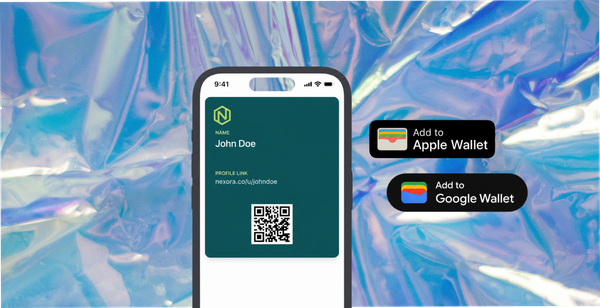
Rewards are delivered instantly as Apple or Google Wallet passes - no code to copy, no email to search for. The pass lands on the customer's phone within seconds of submission, lives on their lock screen, and drives repeat purchase at higher rates than discount codes.
The Growth plan at $82/month covers 400 image and 200 video submissions per month with rights cleared at upload. Install directly from the Shopify App Store.
Isabelle Simon - Communications Lead - 82DASH
CGC vs UGC: Frequently Asked Questions
Can I ever use UGC in ads?
Yes - with documented permission. Reach out directly, explain how you want to use the content, and get written agreement covering the specific channels, duration, and modifications. For anything beyond organic social, a short but explicit rights agreement is the correct approach. Our rights clearance guide for Shopify ads covers what the agreement needs to say.
What if a customer tags us and says "use it!" in the comments?
A comment saying "go ahead!" is not a legally binding rights agreement. It's undated, informal, doesn't specify channels or duration, and could be deleted or disputed. For organic social reposting, it's generally low-risk. For paid ads or email, you need a documented agreement - ideally a short email exchange or a form-based consent with a timestamp.
What's the easiest way to start collecting CGC?
A post-purchase email with a single link to a branded submission page, timed 7-14 days after delivery confirmation, with a meaningful reward attached. You don't need a sophisticated platform on day one. You need a working submission flow that clears rights at upload and delivers a reward that makes the ask worthwhile.
Does CGC content look as good as professional photography?
Often, no - and that's part of why it performs better in ads. Influencer Marketing Hub data shows that informal, obviously authentic customer content consistently scores higher on trust metrics than polished brand creative. The roughness signals realness. Studio photography has its place - product imagery, hero shots, packaging - but in performance advertising, authentic CGC wins more often than not.
Is CGC better than influencer content?
For different things. Influencer content is good for reach and awareness - you're renting an audience. CGC is better for conversion and trust - you're demonstrating that real customers with nothing to gain are endorsing the product. Our influencer vs customer content comparison covers the ROI case in detail.
Further Reading
Shopify UGC Strategy: Build a Customer Content Library 2026
Rights-Cleared UGC for Shopify Ads: The Complete Guide
Video Reviews for Ecommerce: How to Collect Them 2026