How to Collect Customer Content on Shopify Without Instagram Hashtags
Most Shopify merchants are told to use branded hashtags. Here's why that strategy fails - and how direct CGC collection reaches 100% of your customers, clears the rights automatically, and builds a library that compounds.

Here's what most Shopify merchants are told to do: create a branded hashtag, ask customers to post on Instagram, then pull those posts into a gallery on your store.
Here's what actually happens: two customers post. The rest don't. You spend more time chasing hashtags than collecting content. And the photos that do come in - you don't own them. You can't use them in ads without permission you never formally obtained.
There's a better way to collect customer content on Shopify. One that doesn't depend on whether your customers have public Instagram accounts, whether they post about products, or whether your branded hashtag ever goes anywhere.
Why Instagram Hashtags Fail as a Shopify UGC Strategy
The hashtag strategy made sense in 2015. It doesn't hold up in 2026.
The core problem is structural. When you ask customers to post on Instagram, you're asking them to create content for a social audience - not for you. The decision of whether to share is based on what they think will perform on Instagram, not on whether they had a great experience with your product.
The majority of customers who would happily share content privately with a brand will never post it publicly. The hashtag strategy only reaches those who do post - and only if they have public accounts, use the hashtag, and the post isn't buried in their archive within 24 hours. Customer photos on product pages drive 74% higher conversion than pages without them, per Salsify. User-generated content delivers 161% higher conversion lift than brand content, per Bazaarvoice. Those numbers are only achievable if you actually have the content - and a hashtag strategy is a poor way to get it.
Then there's the rights problem. A post on Instagram is not a licence. If you screenshot that photo and run it in a Meta ad, you're using the customer's creative work without their permission. That's copyright infringement, regardless of whether the customer tagged your brand.
The brands building real content advantages right now aren't chasing hashtags. They're collecting directly.
UGC vs CGC: The Distinction That Changes Everything for Shopify Merchants
UGC - user-generated content - is content customers post publicly on social platforms. Instagram tags, TikTok videos, branded hashtag posts. UGC tools work by pulling this public content from social feeds and displaying it on your storefront.
What most merchants actually want is something different: customer-generated content, or CGC. Content customers create and submit directly to your brand - not to a social feed. The distinction matters for three reasons.
Rights. CGC collected through a direct submission flow can include rights clearance at the point of upload. The customer submits the photo and grants a licence in the same action. You receive the content and the rights simultaneously.
Volume. Direct collection reaches 100% of your customers - not just the minority who post publicly. The customers who would share privately but never post publicly are only reachable through a direct submission flow.
Quality. Content submitted directly to a brand is unfiltered by what performs on social. You get what customers actually think about your product, not what they think will get likes.
How to Collect Customer Content on Shopify Directly
The collection flow has three components.
A submission link or QR code. Customers reach a brand-made, mobile-focused landing page - through a link in your post-purchase email, a button on your order confirmation page, a QR code on your packaging insert, or a link on your product page. The form asks for what you want: photos, videos, a written answer, or a combination.
Rights clearance built in. At the point of upload, the customer agrees to a licence covering how you'll use the content. Done at submission, not chased afterwards. This is what makes the content legally usable across ads, email, product pages, packaging, and wholesale decks.
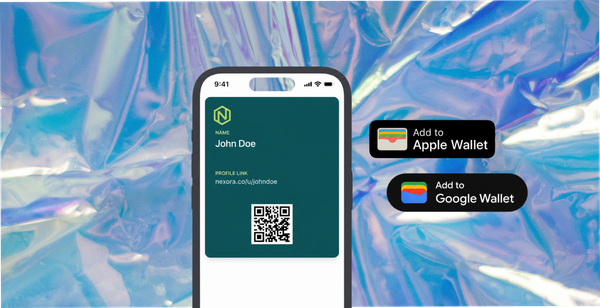
An immediate reward. A tangible incentive delivered the moment they submit - not a points balance they'll forget about, but something that lands on their phone before they've closed the form. An Apple or Google Wallet pass with a specific discount or free product on their next order.
This is the loop that makes direct collection sustainable. Every order becomes a potential submission. Every submission builds the library. Every reward brings the customer back.
Why Post-Purchase Is the Best Moment to Ask for Shopify Customer Photos
Timing matters. The best moment to ask a customer for content is immediately after they've received their order - when the product is new, the experience is fresh, and they're most likely to engage.
A post-purchase email sent 3-5 days after delivery outperforms any other touchpoint. The customer has the product. They've formed an opinion. They're in a positive headspace (assuming the order went well). Your brand is top of mind.
Compare this to a hashtag request on your website, which asks for content from someone who hasn't bought yet, or a social post that reaches customers weeks after the purchase moment.
The post-purchase window is also when the reward has maximum pull. "Share a photo and get 15% off your next order" lands differently when the customer is looking at the product they just received than it would at checkout.
What to Ask Customers to Submit
Not all content requests perform equally. Here's what works by product type.
Fashion and apparel. "Share a photo of your order styled your way." Give the customer creative freedom. Styled outfit shots in real environments perform far better in ads than studio imagery - and customers who style things for their own aesthetic produce better content than any brief you'd write.
Beauty and skincare. Before-and-after is the gold standard, but also valuable: product-in-use photos (your serum on a bathroom shelf beats a white-background shot every time), and honest written answers to "what have you noticed since using it?"
Food and beverage. Plated or packaged shots in a real kitchen. Customers eating or cooking with the product. Unboxing shots for subscription products.
Home goods and furniture. Product-in-room photos showing the item in a real living space. These convert far better than renders and answer the question every buyer has: "will this actually look good in my home?"
Pets. Product-in-use is essentially mandatory - customers will send you their pet photos voluntarily if you give them a reason. These consistently outperform any other content type in ads and on product pages.
How 82DASH Powers Direct CGC Collection on Shopify
82DASH is built for exactly this flow. It connects to your Shopify store and runs the collection-and-reward system as a lightweight layer on top of your existing infrastructure.
You create a campaign: what you're asking for, what the reward is, and how it's triggered. You add a submission link to your post-purchase email or order confirmation page. Customers submit through a mobile-focused landing page. Rights are cleared automatically at submission. An Apple or Google Wallet pass lands on their phone immediately.
No app download required on either side. The submission takes under two minutes for the customer. You receive licensed content and customer insights tied to that order.
On the Growth plan at $82/month, you can collect up to 400 photos and 200 videos per month. A store with 200 orders per month running a well-designed submission flow typically achieves 6-10% submission rate. That's 50-80 pieces of licensed customer content per month - built into the post-purchase flow, running automatically.
Install 82DASH directly from the Shopify App Store.
Getting Better Content: How to Brief Your Customers
The quality of what you receive is a function of how you ask.
Vague request: "Share a photo of your purchase." Result: product on a white table, or the product in its bag.
Specific request: "Share a photo of [product] styled your way - in your home, in your wardrobe, wherever it lives in your life." Result: real-context, real-environment photography that you can actually use.
Three principles for a better brief:
Give context. Tell the customer why their photo matters. "We use real customer photos in our ads and on our product pages because they convert better than studio shots. Your photo could be the reason someone else decides to buy."
Name the format. Don't leave it open. "A photo showing [product] in use" is better than "a photo of your purchase." For video: "A 15-30 second video showing [product] and what you like about it."
Make the reward visible upfront. "You'll receive 15% off your next order straight to your Apple or Google Wallet as soon as you submit." The reward should be in the first sentence of the request, not buried at the bottom.
The Real Advantage: Content That Compounds
A library of 300 licensed customer photos built over three months is not something a competitor can replicate overnight. It takes time, a system, and actual customers.
The brands running Instagram hashtag campaigns are building nothing permanent. Every post they pull requires individual rights clearance if they want to use it beyond their own feed. Their "library" is actually a set of assets they don't fully own, built on a platform they don't control.
Direct collection builds something different. A content library that grows automatically with every order. A set of assets you own outright. Creative that compounds - each new piece adds to the body of social proof on your product pages, in your ad rotation, in your email campaigns.
That's the real case for collecting customer content without Instagram hashtags. Not just better photos. A fundamentally better approach to building a brand.
Isabelle Simon - Communications Lead - 82DASH
Frequently asked questions
Can I still collect customer content if my customers aren't on Instagram?
Yes - that's the point of direct collection. A submission form reaches any customer with a smartphone, regardless of whether they use Instagram, TikTok, or any social platform. You're reaching 100% of your customer base, not just the subset who post publicly.
What's the difference between asking for content in an email and a branded hashtag?
An email with a direct submission link delivers customers to a form you control. The content goes directly to your library. Rights are cleared at submission. Compare this to a hashtag request, which delivers content to a public platform you don't control, without rights clearance, and only from customers who choose to post publicly.
How do I get more customers to submit content?
The three main variables are: timing (post-purchase email 3-5 days after delivery outperforms all other touchpoints), reward (immediate, tangible, and visible - a Wallet pass with a specific discount performs better than points or prize draws), and clarity of the ask (specific brief + example = better participation and better content).
Do I need to ask for rights clearance separately?
If you're collecting through a properly built submission flow, rights clearance is part of the process - the customer agrees to a licence when they upload. If you're collecting via hashtag or social tag, you need to seek permission separately for each piece of content you want to use in ads, email, print, or anywhere beyond your own organic social feed.
What resolution do customer-submitted photos need to be for ads?
Most modern smartphones produce images well above the minimum resolution for Meta ads (at least 1080 x 1080 pixels). For video, ask customers to record in portrait orientation at the highest quality their phone allows. The submission form can include guidance on this before upload.