How to Add Apple and Google Wallet Passes to Your Shopify Store
Most Shopify wallet setups break in the same place: the pass promises a discount the checkout has never heard of. Here is the setup, the code behaviour, and the test journey to run before you turn it on.
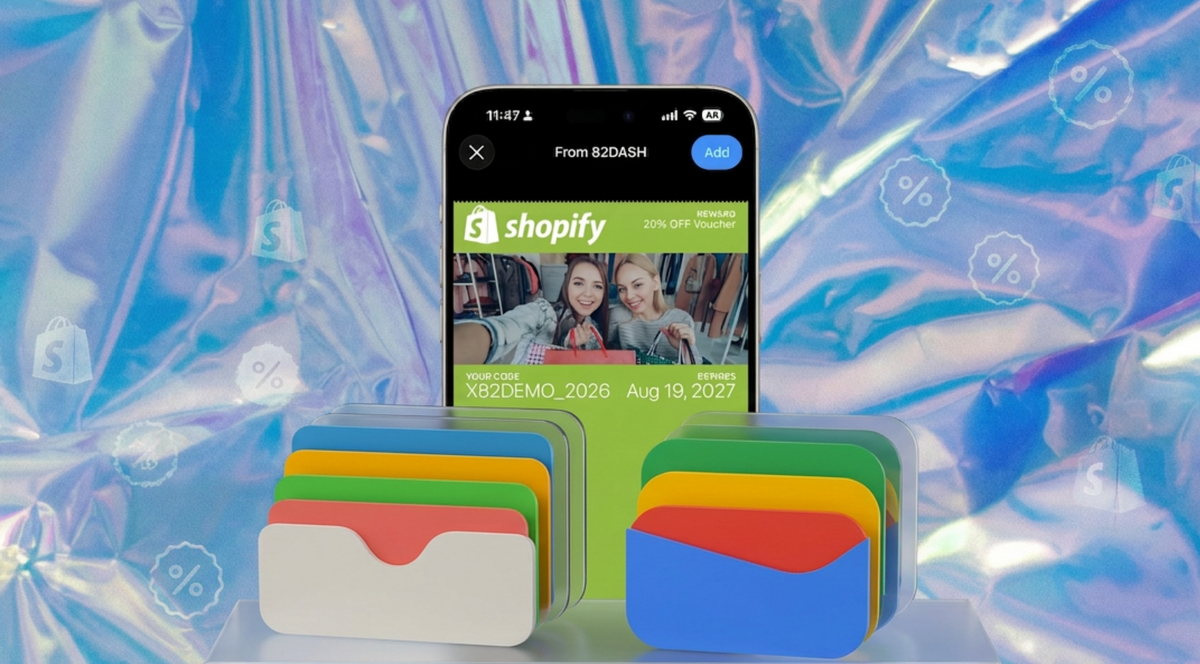
Adding wallet passes to Shopify means connecting a pass platform to your store, giving customers a reason to take a pass, and making sure the reward on it can actually be redeemed at checkout or at your till.
None of it requires an app, and none of it requires you to hold Apple or Google developer certificates yourself. What it does require is understanding where the discount code comes from and who validates it, because that is where most setups quietly break.
This guide covers the connection, the campaign, the delivery, the redemption, and the test to run before you turn it on.
What a Wallet Pass Does That a Loyalty App Does Not
The honest difference is not features, it is friction. A loyalty app needs downloading, and most customers of most stores will not do it for one brand. A wallet pass needs one tap into software already on the phone.
That changes the economics of the whole programme. You are not trying to persuade someone to install anything, you are asking them to accept a card.
The second difference matters later: a pass can be updated after the customer has taken it. The offer, the value, the expiry and the design can change without the customer doing anything. A discount code emailed once is fixed forever and usually lost in an inbox.
How the Flow Actually Works
Worth being precise here, because a lot of wallet marketing implies passes appear automatically in response to customer behaviour. That is not how this works, and expecting it leads to disappointment.
A pass is issued in exchange for something. The sequence is:
- You build a campaign. A request with a reward attached: a photo, a short video, a piece of feedback, an answer to a question, or simply a form.
- You distribute it as a link or a QR code. Order confirmation page, post-purchase email, packaging insert, SMS, a code at a pop-up.
- The customer submits. This is the step that makes the whole thing work and the step most wallet tools do not have.
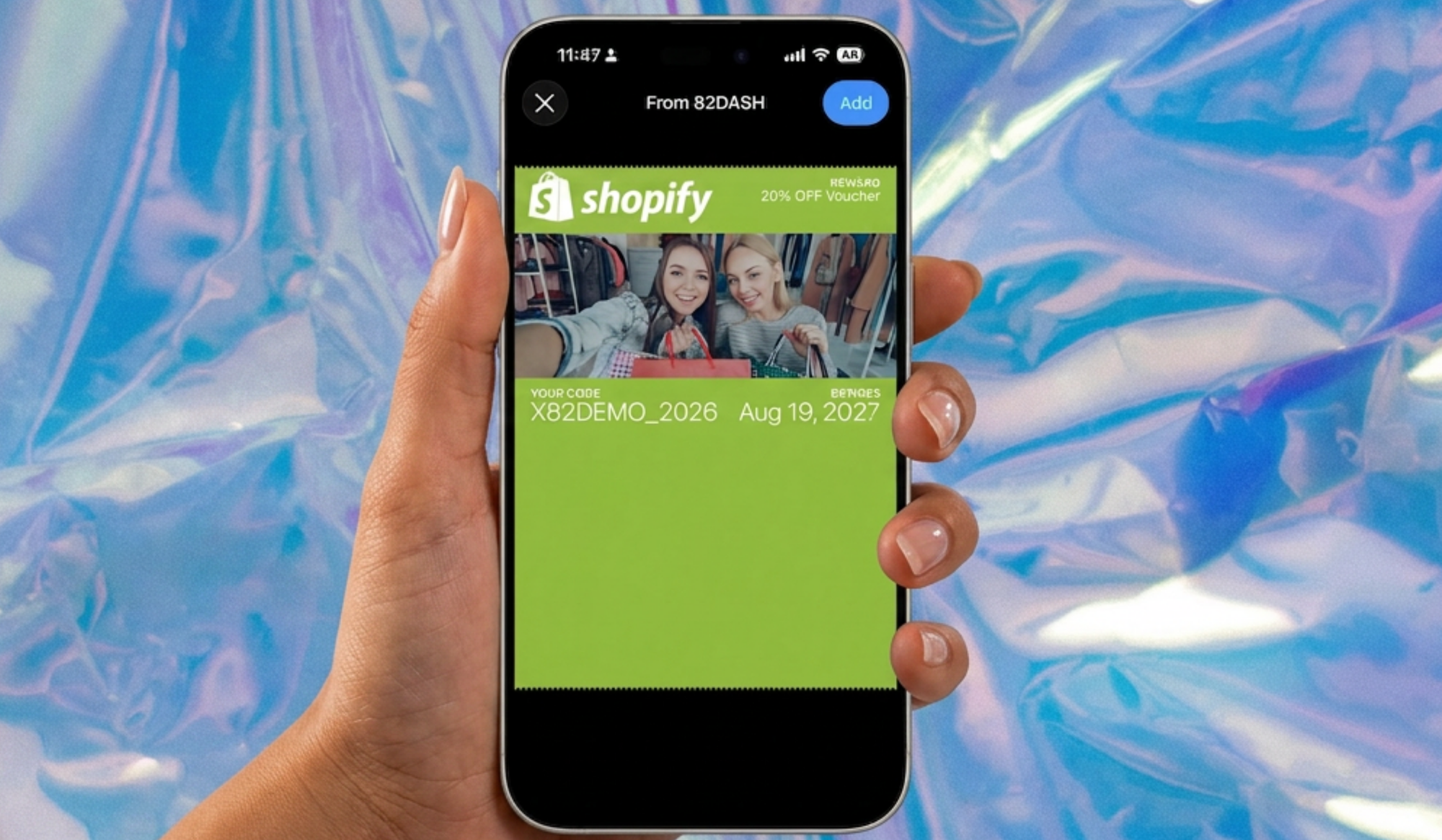
- The reward issues to their wallet, in Apple Wallet or Google Wallet, within seconds.
- The Shopify integration creates the discount code behind that reward.
- The code is validated at online checkout, or at a Shopify POS or Lightspeed X Series till.
There is no behavioural trigger firing in the background. A customer does something, and a reward follows. That is a narrower claim than "seven automation triggers", and it has the advantage of being true.
It also means the quality of your request matters more than the configuration. A vague ask produces few submissions, and no amount of setup fixes that.
Who Owns What
Discounts break when nobody has established which system is responsible for which step.
| Job | Who owns it | Detail |
|---|---|---|
| The invitation | You, via link or QR | Placed wherever your customers actually are |
| The submission | Your content platform | This is the trigger. Not order data, not a timer |
| Issuing the reward | Your pass platform | Pass lands in Apple or Google Wallet within seconds |
| Creating the code | The Shopify integration | A dynamic code, so the issuing platform knows when it is used |
| Validating online | Shopify | The code is a real Shopify discount, subject to Shopify's rules |
| Validating in person | Shopify POS or Lightspeed X Series | Staff validate by scanning |
| Reporting | Split | Issuance and redemption sit with the pass platform, revenue with Shopify |
The fourth row is the one that matters. A pass showing "$15 off" is a picture until a code behind it exists as a real Shopify discount. Dynamic rather than static is what lets you know it has been used, and what stops one code being screenshotted and shared.
The Setup
1. Choose how you are getting passes. Three routes. Build it yourself, which means Apple and Google certificates, a signing pipeline and ongoing maintenance, and is a genuine engineering project. Use a generic pass platform, which issues cards but leaves the Shopify wiring to you. Or use something Shopify-integrated, which handles the connection.
2. Connect it to Shopify. Install from the app store and authorise. The integration reads orders, customers, the product catalogue and promo codes. That last one is what allows it to create and manage the discount behind a reward rather than just display a number.
3. Build the pass. Front of pass carries the reward and nothing else. Back carries terms, redemption instructions, expiry and a link back to the store. Resist putting your brand story on the front; the reward is the only thing that earns that space.
4. Build the campaign. Decide what you are asking for and what it is worth. Be specific in both directions: "send us a photo of it in your kitchen" beats "share your experience", and a named reward beats "a treat".
5. Place the invitation. The order confirmation page and the post-purchase email reach the most people, because the customer is already paying attention. Packaging inserts catch the unboxing moment and reach people who never open marketing email.
6. Test redemption end to end before a single real customer sees it.
Discounts, Codes and Expiry
Get this wrong and the programme generates support tickets instead of orders.
Unique or shared, your choice. Codes can be generated unique per customer or as one code per campaign, and which you want depends on the offer. Unique for anything valuable, because a single shared code will be posted to a deals forum within a week. Shared is fine for a low-value sitewide offer where you do not mind.
Usage limits. These can be set, and the options available depend on the integration. Decide "one per customer" or "one use total" at campaign setup rather than discovering the default afterwards.
Does it stack? Shopify's own combination rules govern this once the code exists as a Shopify discount. Read them before you design the offer rather than after.
Expiry in two places. The pass can expire and the discount code can expire, and they are not automatically the same date. If the pass still displays an offer whose code has lapsed, the customer reaches checkout and is told no. Align them.
Online and in person are different mechanisms. An online Shopify discount applies at checkout. Counter redemption runs through Shopify POS or Lightspeed X Series with staff scanning. If you trade on Square or SumUp, content collection still works but counter redemption is manual.
The Test Journey, Before You Launch
Run this on real hardware. Simulators will not surface the problems that matter.
On an iPhone
- Scan or click the invitation exactly as a customer would
- Confirm the landing page states the ask and the reward in the first line
- Complete the submission
- Confirm the pass saves to Apple Wallet
- Check the front shows the right reward, and the back shows terms and expiry
- Go to your store, add an item, reach checkout, apply the code
- Try to apply it a second time and confirm what happens
On an Android
Repeat all seven. Google Wallet handles pass types and updates differently from Apple, and a pass that renders correctly on one can look wrong on the other.
Then the failure paths
- An expired pass
- A code already used
- A customer who deleted the pass and wants it back
- Checkout with another discount already applied
- If you have a till: a redemption at the counter
Write down what happens in each case. That document is what your support inbox will need in week two.
Troubleshooting
| Symptom | Likely cause | Where to look |
|---|---|---|
| Nothing happens on Add to Wallet | Pass is unsigned or malformed | Pass platform logs. A correctly signed pass opens the wallet immediately |
| Pass saves but shows wrong values | Design template not mapped to campaign fields | Pass template configuration |
| Code rejected at checkout | Code does not exist as a Shopify discount, or has lapsed | Shopify admin, Discounts |
| Discount applies at the wrong value | Combination rules, or percentage where the pass says fixed | Shopify discount settings |
| Works on iPhone, not Android | Google Wallet pass type not generated | Pass platform, Google Wallet configuration |
| Nobody is submitting | The ask is vague or the reward is not worth the effort | Your campaign copy, before anything technical |
| Customer says they never got it | Submission did not complete, or the reward email went to spam | Submission logs first, deliverability second |
| Pass will not update | Update mechanism not configured, or customer has notifications off | Pass platform, then customer device settings |
The sixth row is the most common on a new programme and the one people look at last, because it is the only row that is not a technical fault.
Where to Put the Invitation
Six placements, in rough order of reach.
Order confirmation page. Highest attention moment in the journey. The customer has just paid and is looking at the screen.
Post-purchase email. Reaches people who did not act on the confirmation page.
Packaging insert. Catches the unboxing moment, and works for customers who never open marketing email. Use a dynamic QR code so the destination can change without a reprint.
SMS flow. Short, and the link opens directly into the submission.
Physical retail and pop-ups. A code at the counter or on a sample table.
Existing customer list. A one-off send to everyone who has ordered before. This is a single campaign rather than an ongoing mechanism, and it is usually the largest batch of passes you will ever issue.
Where 82DASH Fits
82DASH approaches this differently to most pass platforms. The pass is not the product. It is what a customer receives for giving you something.
That difference is why there are no behavioural triggers. The system is built around a request and a response, not around watching order data and firing automations. A customer submits a photo, a video, a piece of feedback or a form answer, and the reward lands in their wallet.
The rights agreement is captured at the point of submission, which is what makes the resulting content usable in paid advertising rather than only on your own site. One mechanism does two jobs: a loyalty card on the customer's phone, and a library of content you can legally run.
Plans run $50, $82 and $120 a month, with Starter including four campaigns, plus a free tier for form-based campaigns. Push notifications are available on paid plans. The pricing page has the current detail.
There is a broader principle here: pay your customers, not creators. The budget going to commissioned photography could go to the people who already bought the product, and their version carries more weight because nobody paid them to like it.
Start free with a form-only campaign
Install 82DASH on the Shopify App Store
Isabelle Simon, Communications Lead, 82DASH
FAQs
Do I need an Apple developer account?
Not if you use a pass platform. The platform holds the certificates and signs passes on your behalf. You need your own only if you are building the pipeline yourself, which is a real engineering project rather than a configuration task.
Do passes get issued automatically based on customer behaviour?
No. A pass is issued when a customer responds to something: a submission, a form, a request you sent. There is no background automation watching order history and firing rewards. That is a narrower promise than some wallet tools make, and it means your results depend on the quality of the ask rather than the configuration.
What happens when a customer changes phone?
Apple Wallet passes sync across iPhones through iCloud, and Google Wallet passes sync across Android devices through the Google account. A customer moving between platforms will generally need to add the pass again.
Can I change the reward after the pass has been issued?
Usually yes, and this is the main advantage over an emailed code. Value, expiry and design can be updated on a pass the customer already holds. Remember the discount code behind the offer has to change too, or checkout will reject it.
Will the discount work at my physical till?
Through Shopify POS or Lightspeed X Series, yes, with staff validating by scanning. On other till systems the pass still works as a card but redemption is manual.
Further Reading
- Shopify Customer Content Strategy: The Complete Guide
- Shopify Post-Purchase Wallet Rewards: How to Drive the Second Order
- Best Wallet Pass Platforms for Business 2026: Compared
- Shopify discount documentation
- Apple Wallet developer documentation
- Google Wallet developer documentation
- Lightspeed Retail
- Install 82DASH on the Shopify App Store