Google Review QR Codes for Shops: The Rule Most Businesses Break
Every free review QR code leaves you a review and no way to contact the person who wrote it. There is a lower-risk way to get both.
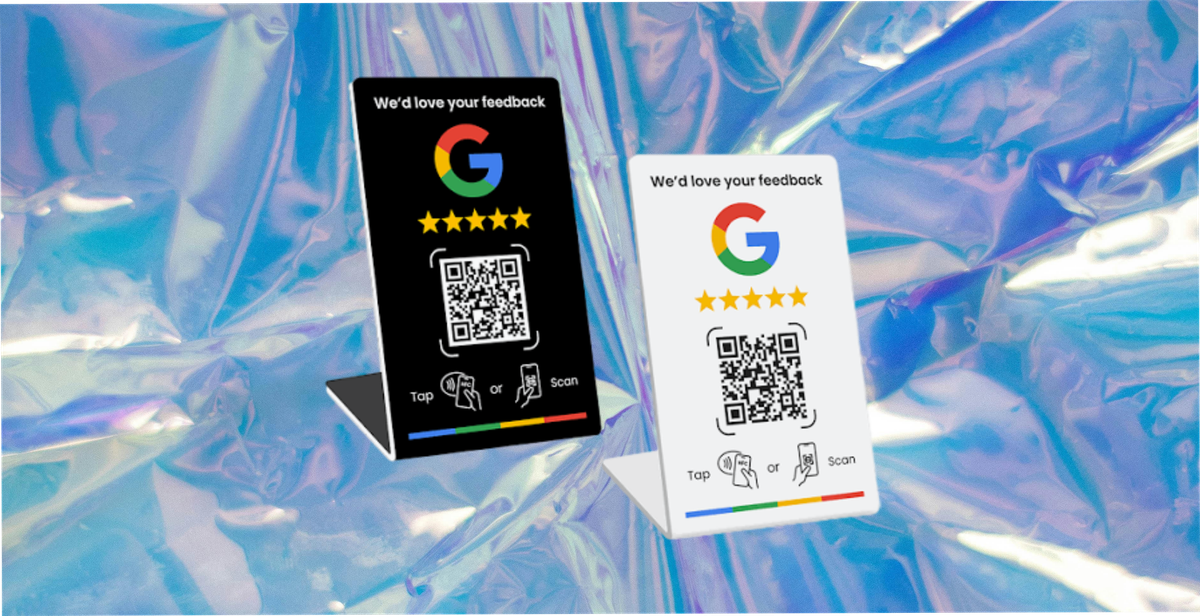
A Google review QR code is a printed code that takes a customer straight to your review page. On a table talker, a receipt, a counter card or an NFC stand, it removes the four or five taps between wanting to leave a review and finding where to leave it.
They work. Two things about them are worth knowing before you print anything, and most guides mention neither.
This is general information, not legal advice. Platform policies change and differ by country, so check the current rules for every surface a review will appear on.
The Rule Most Businesses Break
Google's own guidance on review requests is direct about incentives:
"Offering incentives, like free or discounted goods or services, to customers in exchange for reviews is considered fake engagement and is strictly prohibited."
That wording is from Google's guidance on getting reviews, which is the page to check before any print run.
So the design a lot of shops reach for first, scan this code, leave a review, get a free coffee, is prohibited. Not discouraged. Prohibited, with removal of reviews and potential action against the profile as the consequence.
Google is stricter than US law here, and the difference matters. The FTC's Section 465.4 addresses incentives conditioned on a review expressing a particular sentiment, so rewarding any honest review is not the conduct that rule targets. Google goes further and prohibits incentives in exchange for any Google review, whatever it says. Our post on incentivising reviews covers the FTC side in full.
So do not reason from the FTC rule to what Google allows. On Google, the reward cannot be for the review at all. That single constraint shapes everything below.
The Second Trap: Review Gating
Gating is asking customers how they feel first, then routing the happy ones to Google and the unhappy ones to a private feedback form.
It is a common feature in review tools and Google prohibits it outright, both the discouraging of negative reviews and the selective soliciting of positive ones. The FTC rule addresses review suppression separately at Section 465.7, where 465.7(b) covers presenting a filtered set of reviews on a surface you control as though it represented all of them. The two are related and they are not the same source, so do not cite one as authority for the other.
If your flow branches on sentiment you have a Google policy problem, and depending on how you display the results, potentially a US consumer-protection problem as well. The ask has to go to everybody, whatever they thought.
The Bigger Problem Nobody Mentions
Set the rules aside for a moment. Even run correctly, a review QR code gives you one thing: a review that sits on your Google Business Profile, written by somebody you have no way to contact.
No email. No channel. No way to reach them next month. The customer scanned your code, did you a favour, and left with nothing and you with nothing except the review itself.
For a shop, a salon, a cafe or a garage, that is a strange trade to have designed on purpose. The person who scanned is exactly the customer you would most want to reach again, and the standard setup makes that impossible.
The Separated Design That Keeps the Customer
The fix is to separate the two things: reward what you collect, ask for the review without attaching anything.
One code on the table, the receipt or the counter. It opens your own branded form, not Google.
Ask for what you actually want. How was it, what would you change, an email if they want offers. Two or three questions, not ten.
The reward lands for that. A discount or a contact card saves to their Apple or Google Wallet in one tap. The reward is consideration for the feedback and the details, which is yours to give.
Then ask for the review, with nothing attached. On the confirmation screen: "If you have a minute, a Google review really helps us", with the link. No condition, no reward, and the same ask to everybody regardless of what they just told you.
Why this design separates the two. The reward is consideration for the private feedback and the contact details. The review request is a request, shown to everyone, with nothing attached to it. Nobody is being paid for a public opinion and nobody is being filtered by sentiment.
What it is not. It is not a guarantee of compliance, and nobody selling you a tool should claim otherwise. Platform policies change, they differ by country, and the Google Business Profile guidance is the version that governs you on the day you print. Read it before the print run, and again when you change the campaign. Google also asks businesses not to pressure customers into leaving reviews while they are on the premises, which is worth remembering when you brief staff.
Why it is better commercially. You get the feedback, the email, a pass on their phone, and some proportion of the reviews you would have got anyway. The free generators give you the last item only.
Setting It Up, Step by Step
The part most guides skip. None of this needs a developer.
1. Get your official review link. In your Google Business Profile, use the built-in option to create a link or QR code for review requests. Google notes that review QR codes can currently only be generated from a computer browser, not on mobile. Use Google's own link rather than a hand-built URL, because profile URLs change.
2. Turn it into a code, or download Google's. If you want your own styling, any QR generator will encode the same link. Keep the pattern simple and the contrast high.
3. Or programme an NFC tag to the same URL. Same destination, different trigger. Customers tap rather than scan, which suits a counter stand.
4. Test it properly, which means testing it wrong. Scan it on an iPhone and on an Android handset, and crucially while signed out of the business's own Google account. A code that works when the owner tests it can behave differently for a customer. Check it from arm's length, in the light the shop actually has.
5. Decide the landing route. Straight to Google, or through your own form first. That decision is the rest of this article.
6. Place it, and write one line next to it. A bare code asks somebody to gamble ten seconds finding out what it is.
7. Brief the staff on what they can and cannot say. They can ask. They cannot offer anything for it, and they should not lean on somebody standing at the till.
What to Print, and the Tier That Matters
Placement. The counter, the table, the receipt footer, the back of a loyalty card, a small NFC stand. Wherever the customer is still physically present and mildly pleased.
Say something next to it. A bare code asks somebody to spend ten seconds finding out what it is. One line telling them what they get is the cheapest improvement available.
Mention it out loud. A code nobody refers to is scanned by far fewer people than one a member of staff actually points at. It costs nothing to say and it is the cheapest change on this list.
On dynamic versus fixed codes, and being straight about the plan. A fixed code locks one destination into the print run permanently. A dynamic code can be repointed without reprinting and records every scan, which is what lets a shop change the campaign each month on one print run. Dynamic QR codes sit on the Growth plan and above at 82DASH, so a free-plan campaign works from a link or a fixed code pointing at a page whose content you change.
Test the code at arm's length in bad light, which is the condition it will actually be scanned in.
What About the Other Review Platforms
Google is usually the one that matters most for a physical shop, and it is not the only place customers look.
The rules are broadly similar and not identical. Tripadvisor and Yelp both restrict incentivised reviews, and Yelp in particular is strict about businesses soliciting reviews at all, which is a further step than Google takes. Read the policy of each surface before you put its logo on a card, because the strictest one governs what you can print.
The separation is a useful baseline, not a universal pass. Reward the feedback you collect yourself, ask for the public review separately with nothing attached, and give the same ask to everybody. That structure is a sensible starting point wherever the review lands, and every platform still has to be checked independently, because the restrictions differ and they change.
One card can point at several. If you want reviews in more than one place, the confirmation screen can offer the choice rather than deciding for the customer. Somebody who already uses Tripadvisor will use Tripadvisor.
How 82DASH Fits
82DASH is a customer content library. The part relevant to a shop is the form and wallet builder: a branded form behind a code or a link, ending with a pass in the customer's Apple or Google Wallet.
That is the first half of the design above. The customer scans, answers two or three questions, and a reward or contact card lands on their phone. The Google review request sits on the confirmation screen afterwards, unrewarded and shown to everyone.
82DASH does not publish reviews to Google and is not a review management tool. What it does is make sure the scan is worth something to you beyond the review, by leaving you with the feedback, the contact details and a channel.
The free plan covers branded forms and wallet passes up to 50 submissions a month, which is enough for a single site to run this properly. Photo and video collection are on the paid plans. Starter and Growth include a seven-day trial, and dynamic QR codes start at Growth. Monthly plans start at $50, with around 15% off annually, and the pricing page has the detail.
Underneath it: pay your customers, not creators.
Start free with forms to Apple and Google Wallet
Isabelle Simon, Communications Lead, 82DASH
FAQs
Can I offer a discount for a Google review?
Not on Google. Google's guidance treats incentives offered in exchange for reviews as fake engagement and prohibits it, whether the review is favourable or not. The FTC's Section 465.4 is narrower and addresses incentives conditioned on a review expressing a particular sentiment, so do not reason from the FTC rule to what Google permits. Reward the feedback you collect yourself, and ask for the review separately with nothing attached.
What is review gating and why is it a problem?
Asking how somebody feels first, then sending happy customers to Google and unhappy ones to a private form. Google prohibits it, and since October 2024 selective suppression of unfavourable reviews is also addressed by the FTC rule. The ask has to go to everyone.
Can I ask every customer for a review?
Yes. Asking is fine and encouraged. What is not fine is paying for it, or asking only the customers you expect to be positive.
Do I need a dynamic QR code?
Only if you want to change the destination later or track scans. A fixed code pointing at a stable page works if the page's content changes. At 82DASH, dynamic codes start on the Growth plan, so a free-plan campaign runs from a link or fixed code.
What do I get from a review QR code, other than reviews?
On the standard setup, nothing. The review lives on Google and you have no contact details. Routing the scan through your own form first means you keep the feedback, the email and a pass on the customer's phone, and still ask for the review.
Does this work with NFC stands as well as printed codes?
Yes. The mechanism is the same, the customer taps rather than scans, and the compliance points are identical.
Further Reading
- Why incentivising reviews is not buying them
- How to collect customer feedback without being annoying
- NFC tap wallet for cafes and restaurants
- How to turn a form into an Apple or Google Wallet pass
- FTC: Consumer Reviews and Testimonials Rule
- QR code specification, Denso Wave
- Apple Wallet developer documentation