How to Collect Customer Photos on Shopify and Reward via Apple Wallet
Your customers are already taking photos of your products. Here's how to collect them with rights clearance built in - and reward via Apple Wallet.
Here's what most Shopify merchants are missing.
Their customers are already taking photos. Unboxing videos on the kitchen table. Outfit shots in the bathroom mirror. Before-and-after results three weeks after the first order. The product in use, in context, in real life - exactly the content that converts new buyers better than anything the brand could produce itself.
And almost none of it makes its way back to the merchant.
Some gets tagged on Instagram. Most disappears into private camera rolls. The brand ends up commissioning a photoshoot, spending thousands on content that performs worse than what their customers would have sent for free - if anyone had thought to ask properly.
Why authentic customer photos convert
Authentic customer content drives a 161% lift in conversion rates compared to brand-produced alternatives, according to Bazaarvoice research. Real customer content generates 2.4x more engagement than brand content, according to Stackla.
This is not a marginal difference. Shoppers trust people who look like them, have the same problem they have, and bought the same product. A styled product shot on a white background tells them what the product looks like. A photo from a real customer in a real home tells them what it will look like in their life.
The problem isn't demand. It's the ask.
"Tag us on Instagram" is a request to perform publicly for an audience the customer may not want to perform for. Most customers - even satisfied ones - won't do it. Not because they didn't enjoy the product. Because posting publicly is a bigger commitment than it sounds.
There's a simpler ask. And it comes with a reward.
What Apple and Google Wallet rewards actually do
Before covering the collection mechanic, it's worth understanding why Wallet passes work as a reward.
Apple Wallet (and Google Wallet on Android) is already on every smartphone. No download required. No account to create. A pass delivered to the Wallet appears on the lock screen, stays accessible every time the customer opens their wallet to pay, and can receive push notifications directly to the lock screen.
Push notifications from Apple Wallet achieve open rates of over 90% - compared to around 20% for email. 25% of users abandon an app after a single use. A Wallet pass sidesteps the app problem entirely. And the content it collects matters: e-commerce product pages featuring customer photos convert 74% higher than identical pages without them.
The reward lands instantly. It lives on their phone. It pulls them back.
The collection flow
Here is how a Shopify merchant using 82DASH runs a content collection campaign.
Step 1 - Create the campaign. The merchant sets up a branded collection page - their logo, colours, product prompt, and reward. They choose their reward type: instant (every submission gets a reward), by selection (the merchant picks winners from submissions), or threshold (reward after a set number of submissions).
Step 2 - Share the campaign link. Via post-purchase email, an insert in the packaging, a QR code on the product itself, or a link in the order confirmation. Shopify and Shopify POS integrations mean this can be triggered automatically at checkout.
Step 3 - The customer submits. One page. Photo or video upload. Optionally, 2-3 form questions alongside the upload - "What made you choose this product?", "How are you using it?" The form questions are optional but valuable: the merchant gets customer insight alongside the content, in the same interaction.
Step 4 - Rights clearance happens automatically. The submission flow includes 82DASH's Consent 1.0 framework - License and Terms of Use. Every piece of content arrives with documented commercial rights. The merchant can use it in ads, email, on product pages, in print, on packaging, in wholesale decks - anywhere.
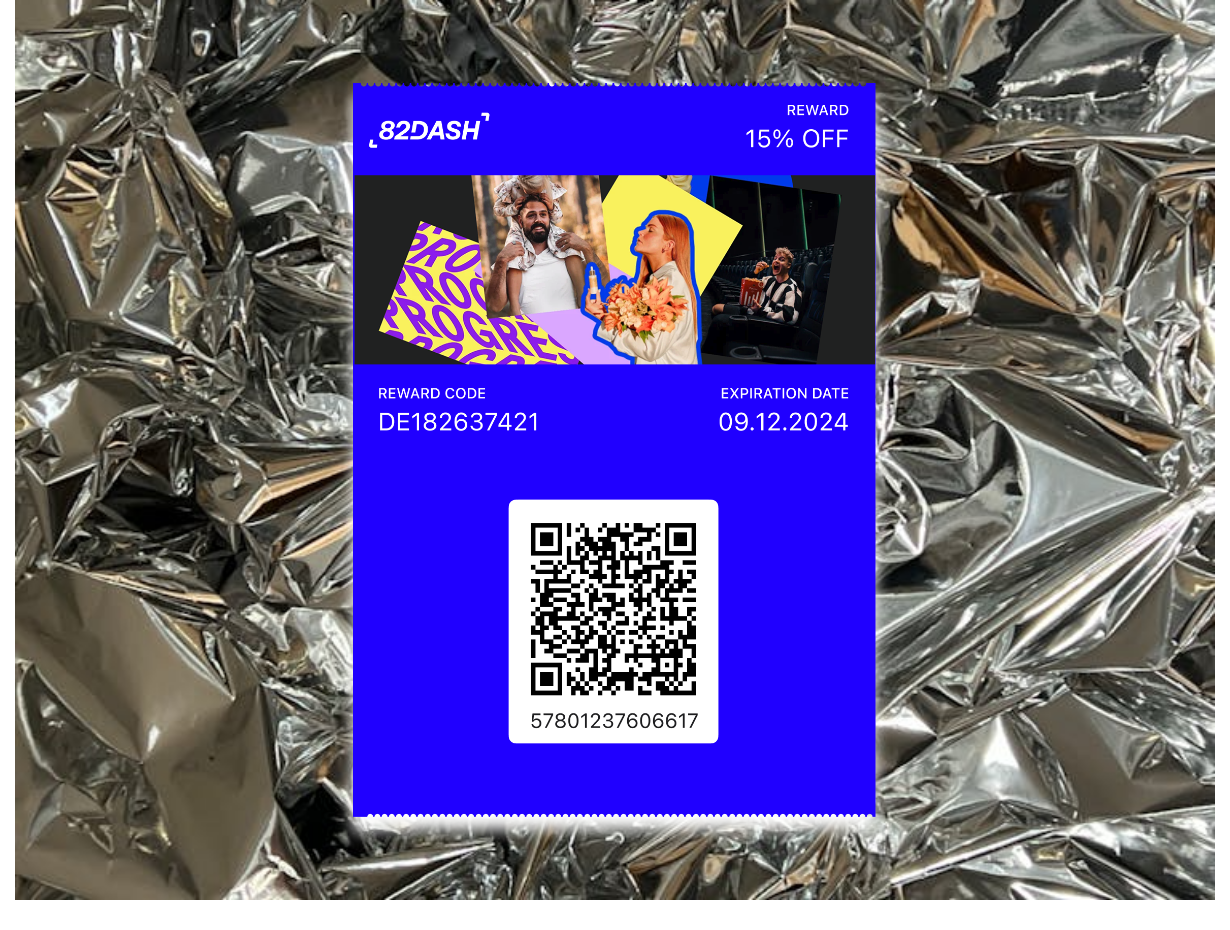
Step 5 - The Wallet reward lands instantly. A digital reward pass appears in the customer's Apple or Google Wallet. A discount code, a credit, a gift. On Growth and Pro plans, the push notification channel is also open from this moment - letting you re-engage that customer directly to their lock screen for future campaigns.
That's the complete loop. One interaction. Content collected. Rights cleared. Reward delivered. Customer reachable for future communications.
Use cases by product vertical
The collection prompt should match the product category. Here's what works:
Fashion and apparel: "Show us how you styled it." Outfit photos in real settings - at work, on a night out, at the weekend - perform far better in ads than studio shots on a model. The customer is the fit model your audience actually identifies with.
Beauty and skincare: "Share your results." Before-and-after submissions, progress photos, close-up skin shots. These are the content that drives purchase decisions in beauty more than any other format - real results from real people.
Food and drink: "Show us your creation." Plating photos, recipe interpretations, table settings. Content that puts the product in a real meal context rather than a styled studio shot.
Pet products: "Show us your pet using it." Pet content is inherently high-engagement. A real dog wearing the harness your customer just bought converts better than any campaign photo.
Home and living: "Show us your space." Products in real homes, real rooms, real lighting - the context that tells the next buyer "this will work in a home like mine."
For each of these, the mechanic is identical. The prompt changes. The reward is the same. And every submission arrives rights-cleared, ready to deploy.
Adding form-based insights to the same flow
Content collection and customer insight are co-equal pillars of what 82DASH does. Merchants don't have to choose between them.
A submission flow can include 2-3 short questions alongside the photo upload: what drew you to this product? What would you tell a friend about it? How did you find us? These questions take under a minute to answer. The merchant receives a piece of licensed content and a piece of qualitative insight from the same customer interaction.
No separate survey tool. No separate email sequence. One page, one submit, two outputs.
The comparison with loyalty apps
Loyalty tools like JeriCommerce and Toki reward customers for purchases. That generates retention. It's a proven model.
82DASH rewards customers for content - and for form responses. The output is different: a repeat customer AND a rights-cleared content library AND customer insight.
A loyalty point generates one output. A content reward generates three: a returning customer, a rights-cleared asset that outperforms paid creative, and customer insight. For any Shopify merchant selling a product where authentic customer photography drives purchase decisions, the ROI calculation is straightforward - the same reward budget delivers repeat customers plus a content library that lowers your cost per click in ads.
For a closer look at how the two models compare, this post covers the points vs content reward argument in detail. And if you're wondering about the rights side of using customer photos in ads, this guide covers exactly that.
The photos your customers are already taking are your best marketing material. You just need a reason for them to send those photos to you.
Isabelle Simon - Communications Lead - 82DASH
Frequently Asked Questions
How do I collect customer photos on Shopify?
The most effective method is a post-purchase flow triggered by email, SMS, or a QR code on packaging. Customers click a link, land on a branded submission page, upload a photo of the product, and receive an instant reward - like a discount or Apple Wallet loyalty credit. No app download required. With 82DASH, the submission page, rights clearance, and reward delivery are all handled automatically.
Can I reward customers with Apple Wallet on Shopify?
Yes. When a customer submits a photo or completes a form through 82DASH, a wallet pass is delivered instantly to their Apple Wallet or Google Wallet. The pass can carry a discount, a loyalty stamp, or a credit - and once saved, it enables push notifications directly to their lock screen. Push notifications are available on Growth and Pro plans.
Does customer photo content work better than product photos for Shopify ads?
For most Shopify merchants, yes. Real customer photos consistently outperform professional product photography in Meta and TikTok ads on click-through rate and cost per acquisition. Research shows authentic customer content generates 4x higher click-through rates than branded alternatives. The key advantage is trust - a photo taken by a real customer using the product is more credible than a studio shot.
Do I need rights clearance to use customer photos in ads?
Yes. Without explicit permission, using a customer's photo in a paid ad can expose your business to copyright claims. 82DASH builds rights clearance into the submission flow - customers grant you the right to use their content commercially at the point of upload. This means every photo submitted through the platform is immediately usable in ads, on your website, and across social media.
Further Reading
- Shopify Customer Rewards: Points vs Content - Which Drives More Value?
- Rights-Cleared Customer Content for Shopify Ads - The Complete Guide
- Apple Wallet Rewards for Shopify - Beyond Points and Loyalty
- Shopify UGC Collection vs Display - What's the Difference?
- 82DASH on the Shopify App Store
- How Customer Photos Impact Ecommerce Conversion - Opensend